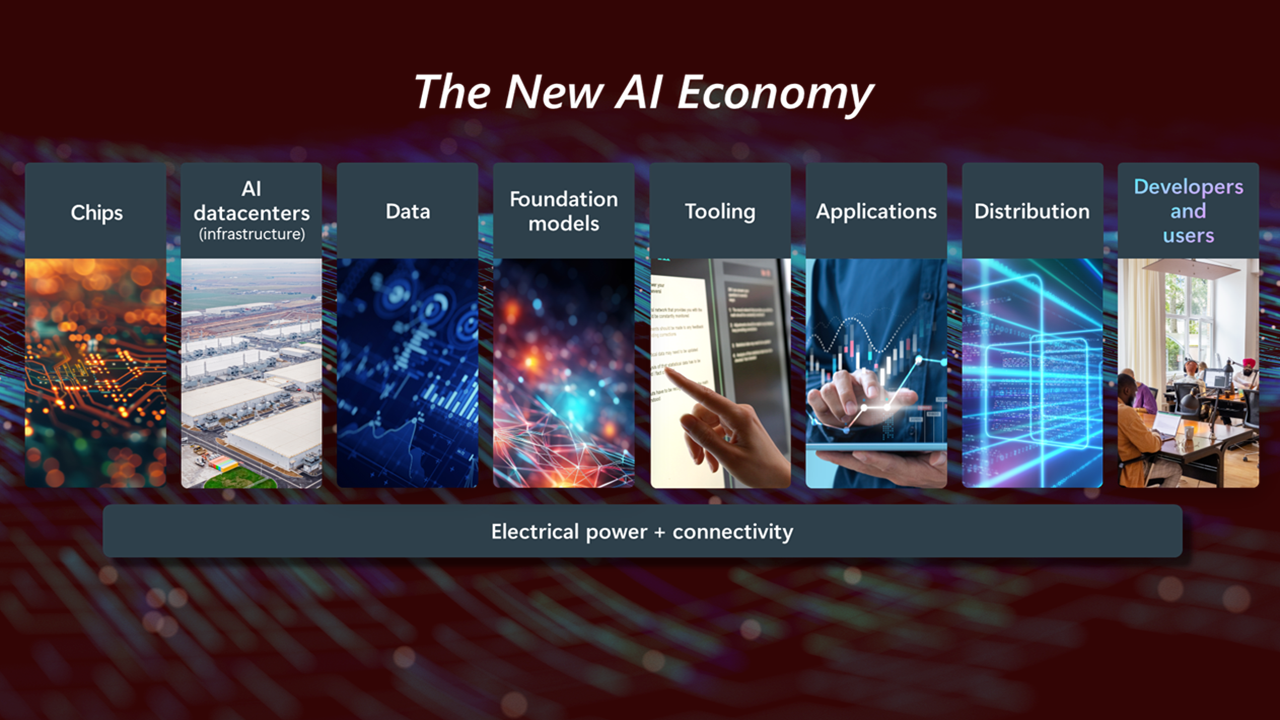
Microsoft is quietly but steadily reshaping the way people interact with their computers. What once felt like separate tools scattered across an operating system is now evolving into a connected, intelligent ecosystem. The latest push to integrate artificial intelligence across Windows apps is not just another feature update. It represents a shift in how everyday tasks are completed, how productivity is measured, and how users expect software to behave.
If you have used Windows recently, you may have already noticed subtle changes. Suggestions that feel more relevant, tools that anticipate what you need, and apps that seem to “understand” your workflow. These are not random improvements. They are part of Microsoft’s broader strategy to embed AI deeply into the core of Windows.
The Vision Behind AI Integration in Windows
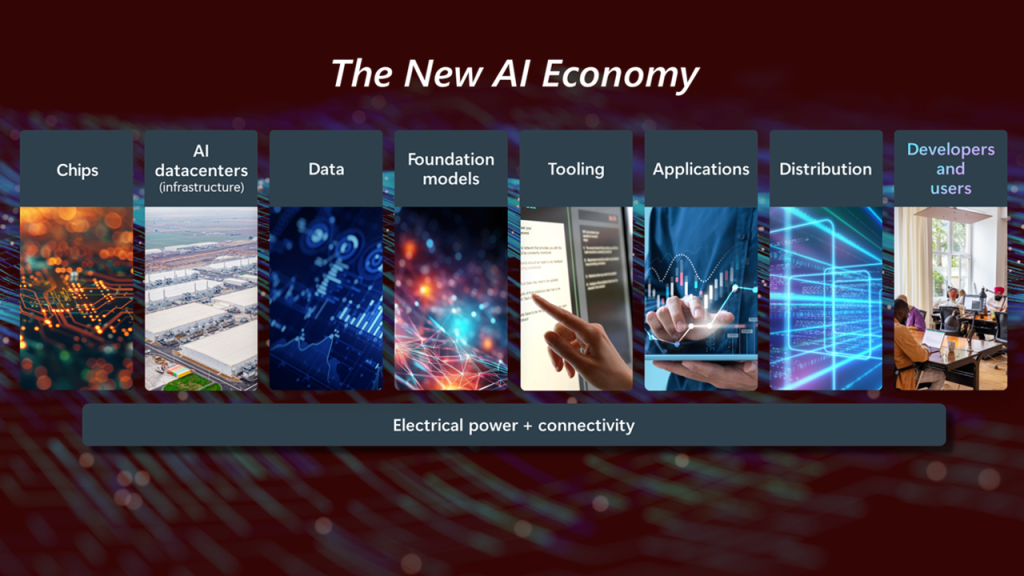
Microsoft’s approach to AI is not about adding flashy tools that sit unused after a few days. Instead, the company is focusing on practical integration. The goal is simple: reduce friction in daily tasks.
Think about how much time is spent switching between apps, searching for files, rewriting emails, or organizing data. Microsoft sees these small inefficiencies as opportunities. By embedding AI directly into Windows apps, the company aims to make those tasks faster and more intuitive.
This vision is largely powered by technologies like Microsoft Copilot, which acts as an intelligent assistant across multiple apps. Rather than being limited to one program, AI becomes a layer that connects everything.
AI in Microsoft Word: Smarter Writing Assistance
Microsoft Word has come a long way from being just a document editor. With AI integration, it is turning into a writing partner.
Users can now generate drafts, rewrite paragraphs, adjust tone, and even summarize long documents in seconds. For someone working on reports or articles, this can save hours of effort. But what stands out is how natural the experience feels.
Instead of interrupting your workflow, AI suggestions appear when needed. You remain in control, but you have a powerful assistant ready to step in whenever required.
For example, if you are struggling to start a document, you can simply provide a short prompt and let AI create a structured draft. From there, you can refine and personalize it, keeping your voice intact.
Excel Gets a Brain: Data Analysis Made Easy
Excel has always been powerful, but not everyone knows how to unlock its full potential. Complex formulas and data analysis can feel overwhelming, especially for beginners.
AI is changing that.
With new AI features, users can ask questions in plain language and get instant insights. Instead of writing formulas manually, you can type something like “show me trends in monthly sales” and Excel will do the heavy lifting.
This makes data analysis more accessible. Small business owners, students, and professionals can all benefit without needing advanced technical skills.
Another advantage is predictive analysis. AI can identify patterns, highlight anomalies, and suggest visualizations that make data easier to understand.
PowerPoint: From Ideas to Presentations in Minutes
Creating a presentation often takes longer than expected. Designing slides, choosing layouts, and organizing content can be time consuming.
With AI integration, PowerPoint is becoming significantly faster to use.
You can generate entire presentations from a simple idea or document. AI helps structure slides, suggest visuals, and even write speaker notes. This is especially useful for professionals who need to prepare presentations quickly.
The design suggestions are also more refined. Instead of generic templates, AI adapts layouts based on your content, making presentations look polished without much effort.
Outlook and AI: Smarter Communication
Email remains a critical communication tool, but managing it can be overwhelming. Long threads, repetitive replies, and missed messages are common challenges.
Microsoft is addressing this with AI powered features in Outlook.
Users can summarize email threads, draft replies, and prioritize important messages automatically. This reduces the mental load of managing inboxes.
For professionals handling dozens of emails daily, these features can make a noticeable difference. Instead of spending time sorting through messages, you can focus on what truly matters.
AI also helps maintain tone and clarity in communication. Whether you need a formal response or a quick reply, the system adapts accordingly.
File Explorer and Windows Search Become Smarter
Finding files on a computer can sometimes feel like searching for a needle in a haystack. Even with organized folders, it is easy to lose track of documents.
Microsoft is improving this experience with AI enhanced search.
Instead of relying on exact file names, users can search using natural language. For example, typing “photos from last summer trip” or “budget file from last month” can bring up relevant results.
This shift makes file management more intuitive. You no longer need to remember precise details. The system understands context and intent.
Paint, Photos, and Creative Apps Get an Upgrade
AI is not limited to productivity tools. Creative apps in Windows are also evolving.
Microsoft Paint, once considered basic, now includes AI features like background removal and image generation. The Photos app offers intelligent editing tools that can enhance images automatically.
These updates are particularly useful for casual users who want quick results without learning complex software. At the same time, they provide a foundation for more advanced creative workflows.
The gap between professional and everyday tools is shrinking, and AI is the driving force behind it.
Microsoft Copilot: The Center of It All
At the heart of this transformation is Microsoft Copilot.
Copilot acts as a unified assistant that works across Windows apps. It understands context, remembers user preferences, and provides assistance wherever needed.
For example, you can ask Copilot to summarize a document, create a presentation based on it, and draft an email to share it. All of this can happen without switching between multiple apps manually.
This level of integration is what sets Microsoft apart. Instead of isolated AI features, the company is building a connected experience.
Privacy and Security Considerations
With increased AI integration, concerns about privacy and data security naturally arise.
Microsoft has emphasized that user data protection remains a priority. Many AI features are designed with enterprise level security in mind, ensuring that sensitive information is handled responsibly.
Users also have control over how AI interacts with their data. Transparency and customization options are key parts of the system.
However, it is important for users to stay informed and understand how these tools work. AI is powerful, but it should always be used with awareness.
Real World Impact on Productivity
The biggest question is whether these AI features actually make a difference in daily life.
For many users, the answer is yes.
Tasks that once took hours can now be completed in minutes. Writing, analyzing data, creating presentations, and managing communication are all becoming faster and more efficient.
But beyond speed, there is another benefit: reduced mental effort.
AI handles repetitive tasks, allowing users to focus on creative and strategic work. This shift can lead to better outcomes and less burnout.
Challenges and Limitations
While AI integration is impressive, it is not perfect.
There are times when suggestions may not fully match user intent. Overreliance on AI can also lead to less critical thinking if users accept outputs without review.
Additionally, not all features are available in every region or version of Windows. Some require subscriptions or specific hardware capabilities.
These limitations highlight the importance of balance. AI should be seen as a tool, not a replacement for human judgment.
The Future of AI in Windows
Microsoft’s current updates are just the beginning.
As AI technology continues to evolve, we can expect even deeper integration across Windows apps. Features will become more personalized, more accurate, and more proactive.
The line between operating system and assistant will continue to blur. Computers will not just respond to commands. They will anticipate needs.
This future may sound ambitious, but it is already taking shape.
Final Thoughts
Microsoft’s expansion of AI across Windows apps is not about adding complexity. It is about simplifying everyday tasks.
From writing documents to analyzing data and managing emails, AI is becoming a natural part of the workflow. The changes may feel subtle at first, but over time, they redefine how people use their computers.
For users willing to explore these features, the benefits are clear. More efficiency, better organization, and a smoother digital experience.
The real transformation is not just in the tools themselves, but in how seamlessly they fit into daily life.
Leave a Reply