Blog

  • Apple iOS 20 Rumors and Expected Features Guide

    Apple iOS 20 Rumors and Expected Features Guide

    Apple’s iOS updates have always followed a familiar rhythm. Every year, a new version arrives with a mix of polished design, smarter features, and performance improvements that quietly reshape how we use our iPhones. Now, attention is turning toward iOS 20, and while Apple has not officially confirmed anything yet, rumors and industry trends are painting a fairly clear picture of what could be coming next.

    If you have been using an iPhone for a while, you already know that Apple rarely makes random changes. Most updates are part of a long-term strategy. That is exactly why the iOS 20 rumors feel interesting. They are not just about small upgrades. They hint at a deeper shift in how iPhones might work in the coming years.

    Let’s break down everything we know so far in a realistic and human way, without hype but with enough insight to help you understand what actually matters.

    Expected Release Date of iOS 20
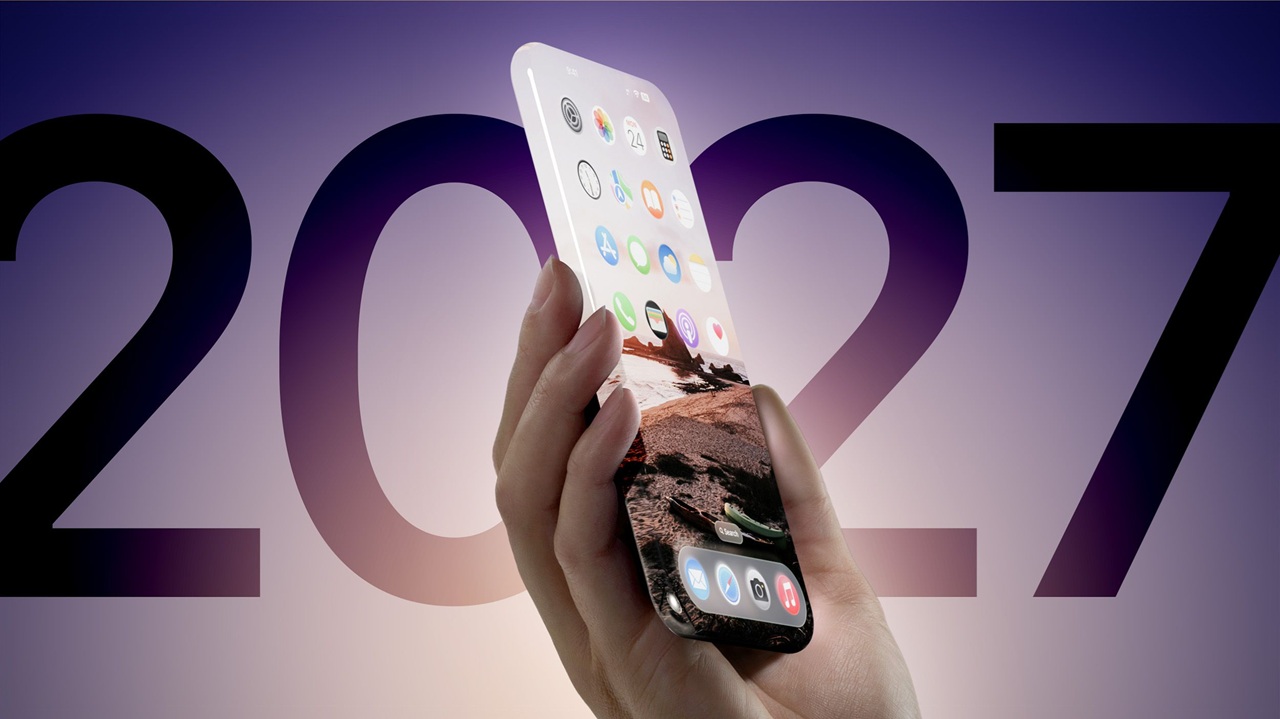
    Apple follows a predictable schedule when it comes to iOS releases. Based on past patterns, iOS 20 will likely be announced during WWDC in June 2026. The developer beta should roll out immediately after the keynote, followed by a public beta a few weeks later.

    The final stable version is expected to launch in September 2026, alongside the new iPhone lineup.

    This timeline has been consistent for years, so unless Apple makes a major shift, it is safe to expect the same approach again.

    A Smarter and More Personal iOS Experience

    One of the biggest rumors surrounding iOS 20 is deeper integration of artificial intelligence across the system. Apple has already started moving in this direction, but iOS 20 could take it much further.

    Instead of flashy AI features that feel like demos, Apple is expected to focus on practical improvements. Think smarter suggestions, better predictive typing, and more context-aware Siri interactions.

    For example, your iPhone could learn your daily routine more effectively. It might suggest apps, reminders, or settings adjustments based on your habits without you needing to ask.

    This is not about replacing how you use your phone. It is about making everyday actions smoother without drawing attention to the technology behind them.

    Siri Could Finally Feel Useful Again

    Siri has been part of iOS for years, but many users feel it has not kept up with competitors. That might finally change with iOS 20.

    Rumors suggest a major overhaul powered by on-device intelligence. This could make Siri faster, more accurate, and more capable of handling complex requests.

    Instead of giving basic responses, Siri might understand follow-up questions and context. For instance, you could ask about your schedule, then continue the conversation without repeating details.

    Privacy will likely remain a priority. Apple is expected to process more data directly on the device rather than sending everything to the cloud.

    If these improvements actually arrive, Siri could move from being occasionally useful to something people rely on daily.

    Possible Design Changes and UI Improvements

    Apple does not redesign iOS completely every year, but small visual changes often make a big difference. With iOS 20, we might see subtle yet meaningful updates.

    Rumors point toward a cleaner interface, smoother animations, and better use of screen space. Apple could refine widgets, notifications, and the Control Center to make them more intuitive.

    There is also speculation about improved customization options. While Apple has already opened up the home screen in recent updates, iOS 20 might give users more control without making the system feel cluttered.

    These changes may not look dramatic at first glance, but they often improve the overall experience in ways you notice over time.

    Improved Battery Optimization

    Battery life is one of those things users care about every single day. Apple knows this, and iOS updates often include under-the-hood improvements that extend usage without requiring bigger batteries.

    iOS 20 could introduce smarter battery management using AI. Your iPhone might learn how you use different apps and allocate power more efficiently.

    For example, apps you rarely use could consume less background energy, while frequently used apps remain responsive.

    There may also be new battery health insights, helping users understand how their usage habits affect long-term performance.

    Enhanced Privacy and Security Features

    Privacy has always been one of Apple’s strongest selling points. With iOS 20, this focus is expected to continue.

    We might see more detailed app permissions, better tracking transparency, and clearer data usage reports. Apple could also expand on features that show how apps access your camera, microphone, or location.

    Another expected improvement is stronger protection against phishing and scams. As digital threats evolve, Apple is likely to introduce smarter warnings and safeguards built directly into the system.

    These features may not grab headlines, but they play a huge role in building trust with users.

    Better Integration Across Apple Devices

    If you use multiple Apple devices, you already know how well they work together. iOS 20 could push this even further.

    Expect smoother handoff between iPhone, iPad, Mac, and Apple Watch. Tasks started on one device could continue more seamlessly on another.

    There are also rumors about improved syncing for messages, notes, and files. The goal is simple. Your data should feel consistent and instantly available, no matter which device you are using.

    This kind of integration is one of the reasons people stay within the Apple ecosystem.

    Upgrades to Core Apps

    Apple’s built-in apps often get overlooked, but they are used by millions of people every day. iOS 20 is expected to bring updates to several key apps.

    Messages could see improved organization and smarter replies. Safari might get better performance and stronger privacy tools. The Photos app could use AI to organize and search images more effectively.

    Health and Fitness apps are also likely to receive enhancements, especially with the growing focus on wellness tracking.

    These updates may not be revolutionary, but they make everyday tasks more efficient.

    Gaming and Performance Improvements

    Mobile gaming continues to grow, and Apple has been investing heavily in performance optimization. iOS 20 could introduce better graphics handling and smoother gameplay.

    Developers might get new tools to create more immersive experiences, while users benefit from improved frame rates and reduced lag.

    Even outside gaming, general performance improvements are expected. Apps could open faster, multitasking could feel smoother, and older devices might get better optimization.

    Which Devices Will Support iOS 20

    Apple usually supports iPhones for several years, but older models eventually get left behind.

    While there is no official list yet, iOS 20 is expected to support newer devices while possibly dropping some older ones. If your iPhone is already a few generations old, it is worth keeping an eye on compatibility announcements.

    Apple tends to balance performance and support carefully, so unsupported devices are usually those that can no longer deliver a smooth experience.

    What Users Actually Want From iOS 20

    Rumors are interesting, but real expectations often come from everyday users.

    Most people are not asking for dramatic changes. They want stability, better battery life, fewer bugs, and features that genuinely save time.

    If iOS 20 can deliver a smoother, smarter, and more reliable experience, it will likely be considered a success.

    Apple’s strength has always been refinement rather than reinvention. That approach is probably not changing anytime soon.

    Final Thoughts

    iOS 20 is shaping up to be an important update, not because it will completely transform the iPhone, but because it may quietly improve how everything works.

    From smarter AI features to better performance and stronger privacy tools, the focus seems to be on making the iPhone more useful in everyday life.

    Of course, these are still rumors and expectations. Apple has a habit of keeping surprises until the official announcement.

    Until then, the best approach is to stay informed but realistic. Not every rumor becomes reality, but they often point in the right direction.

    If even half of these features make it into the final release, iOS 20 could be one of those updates that people appreciate more over time rather than instantly.
  • Samsung Galaxy AI Updates and New Features Guide

    Samsung Galaxy AI Updates and New Features Guide

    Samsung has quietly transformed the way we use smartphones. What once felt like simple software upgrades now feels more like having a smart assistant living inside your device. With the latest Galaxy AI updates, Samsung is pushing its ecosystem into a new era where your phone understands context, adapts to your habits, and helps you get things done faster.

    If you have used a Galaxy device recently, you might have already noticed small but meaningful changes. Messages feel smarter, photos look sharper without effort, and even simple tasks like searching or translating feel more natural. These improvements are not random. They are part of Samsung’s broader AI vision that blends on device intelligence with cloud power.

    In this guide, we will walk through the most important Samsung Galaxy AI updates and features, and explain how they actually make a difference in real life.

    What Is Samsung Galaxy AI

    Samsung Galaxy AI is a collection of artificial intelligence features built directly into Galaxy smartphones and tablets. Unlike older features that required separate apps, Galaxy AI works across the system. It enhances communication, photography, productivity, and even battery efficiency.

    The biggest shift is that many of these features now run on device. This means faster results and better privacy. At the same time, Samsung still uses cloud processing for more complex tasks when needed.

    In simple terms, Galaxy AI is designed to make your phone feel less like a tool and more like a smart companion.

    Real Time Call Translation

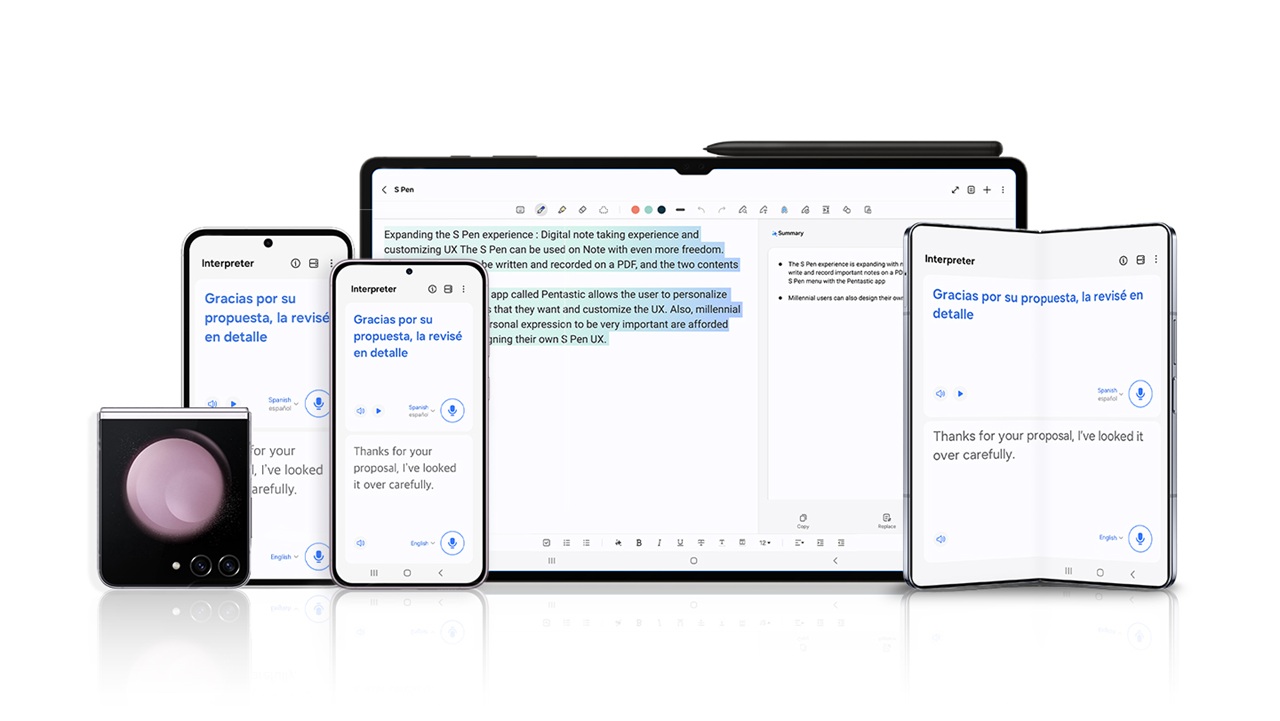
    One of the most talked about features is Live Translate. This tool allows you to have phone calls in different languages without needing a third party app.

    When you speak, your words are translated in real time for the other person. Their response is then translated back to you. Everything happens seamlessly during the call.

    Imagine calling a client in another country or speaking with someone who does not share your language. Instead of struggling, your phone handles the communication.

    The most impressive part is that this feature works directly within the dialer app. There is no need to switch between apps or copy text.

    AI Powered Messaging Assistance

    Typing messages has become much easier with Galaxy AI. The built in writing assistant can suggest replies, improve tone, and even rewrite your message in different styles.

    For example, you can turn a casual message into a professional one with a single tap. This is especially useful for emails or work related chats.

    Another practical feature is grammar correction. If you often send quick messages with mistakes, the AI can clean them up before sending.

    It feels like having an editor inside your keyboard, but without slowing you down.

    Circle to Search Feature

    Samsung introduced a simple yet powerful feature called Circle to Search. Instead of typing queries, you can simply draw a circle around anything on your screen to search for it.

    Let’s say you see a product in a photo or a video. Just circle it, and your phone will instantly show related results. No need to take screenshots or switch apps.

    This feature saves time and feels very natural once you start using it. It changes the way people interact with search completely.

    Smarter Photo Editing with AI

    Photography has always been a strong point for Samsung, but AI has taken it to another level.

    With Galaxy AI, you can edit photos in ways that previously required professional tools. You can remove unwanted objects, adjust backgrounds, and even reposition elements within an image.

    One standout feature is Generative Edit. If you move an object in your photo, the AI can intelligently fill in the missing background. It does not look artificial or forced.

    Another helpful tool is automatic enhancement. The AI analyzes lighting, contrast, and colors to improve your photos instantly.

    For everyday users, this means better photos without learning complex editing skills.

    AI Zoom and Night Photography

    Zoom and low light photography have also improved significantly. Galaxy AI enhances details when zooming in, making distant objects appear clearer.

    In night mode, AI reduces noise and improves brightness while maintaining natural colors. This is particularly useful for capturing moments in dim environments.

    These improvements may seem subtle at first, but they make a big difference when you compare photos side by side.

    Notes and Productivity Features

    Samsung Notes has received a major upgrade with AI integration. You can now summarize long notes, organize content, and even generate formatted text automatically.

    For students and professionals, this is a game changer. Instead of manually reviewing pages of notes, you can get a quick summary in seconds.

    Another feature is automatic formatting. If your notes are messy, the AI can clean them up and structure them properly.

    These tools save time and make it easier to stay organized.

    AI in Samsung Keyboard

    The Samsung Keyboard now includes several AI tools that improve everyday typing.

    You can translate text in real time while typing. This is useful when chatting with someone in a different language.

    There is also a tone adjustment feature. Whether you want your message to sound formal, friendly, or concise, the AI can modify it instantly.

    These features may seem small, but they add up to a smoother communication experience.

    Voice Recorder with Transcription

    Samsung has upgraded its Voice Recorder app with AI transcription. When you record audio, the app can convert speech into text automatically.

    It also identifies different speakers and labels them accordingly. This is especially helpful for meetings, interviews, or lectures.

    You no longer need to manually write notes while listening. The AI does it for you.

    AI Battery Optimization

    Battery life is one of the most important aspects of any smartphone. Samsung uses AI to analyze your usage patterns and optimize power consumption.

    Apps that you rarely use are limited in the background, while frequently used apps remain active.

    Over time, your phone learns your habits and adjusts accordingly. This leads to better battery performance without requiring manual settings.

    Privacy and On Device Processing

    One concern many users have with AI is privacy. Samsung addresses this by processing many tasks directly on the device.

    This means your data does not always need to be sent to external servers. Sensitive tasks like message suggestions or translations can happen locally.

    For more complex features, cloud processing is used, but Samsung provides transparency and control over your data.

    This balance between performance and privacy is an important step forward.

    Integration Across Samsung Ecosystem

    Galaxy AI is not limited to smartphones. It works across tablets, watches, and other Samsung devices.

    For example, you can start a task on your phone and continue it on your tablet. AI helps maintain context and continuity.

    This ecosystem approach makes Samsung devices feel more connected and efficient.

    How Galaxy AI Helps in Daily Life

    While all these features sound impressive, the real question is how they impact everyday use.

    Think about small moments throughout your day. Sending messages, taking photos, searching for information, or managing tasks.

    Galaxy AI simplifies each of these actions. It reduces effort, saves time, and improves results.

    Instead of manually adjusting settings or switching apps, the AI handles things in the background.

    Over time, this creates a smoother and more enjoyable experience.

    Future of Samsung Galaxy AI

    Samsung is just getting started with AI. Future updates are expected to bring even more advanced features.

    We may see deeper personalization, smarter automation, and improved integration with other services.

    There is also a strong focus on making AI more natural and less intrusive. The goal is to assist without overwhelming the user.

    As technology evolves, Galaxy AI will likely become an essential part of the smartphone experience.

    Final Thoughts

    Samsung Galaxy AI updates are not just about adding new features. They represent a shift in how smartphones are designed and used.

    Instead of relying on manual input, your device now understands context and adapts to your needs.

    From real time translation to intelligent photo editing, these features are built to solve real problems.

    If you are using a recent Galaxy device, exploring these tools can change the way you interact with your phone.

    And if you are considering an upgrade, Galaxy AI is one of the strongest reasons to make the switch.

    The future of smartphones is not just faster hardware or better screens. It is smarter software that works with you, not against you. Samsung is clearly moving in that direction, and Galaxy AI is proof of that.

  • Samsung New Chip Technology Explained Simply

    Samsung New Chip Technology Explained Simply

    Samsung has quietly become one of the most important players in the global tech ecosystem. While most people recognize the brand for its smartphones, TVs, and home appliances, the real engine behind its success lies deep inside devices we use every day. That engine is semiconductor technology.

    If you have ever wondered why modern smartphones feel faster, laptops run cooler, or AI tools respond almost instantly, the answer often comes down to advancements in chip technology. Samsung’s latest developments in this space are not just incremental upgrades. They are shaping the future of computing, mobile devices, and even artificial intelligence.

    Let’s break down Samsung’s new chip technology in a way that actually makes sense, without getting lost in overly technical jargon.

    What Is Samsung’s New Chip Technology?

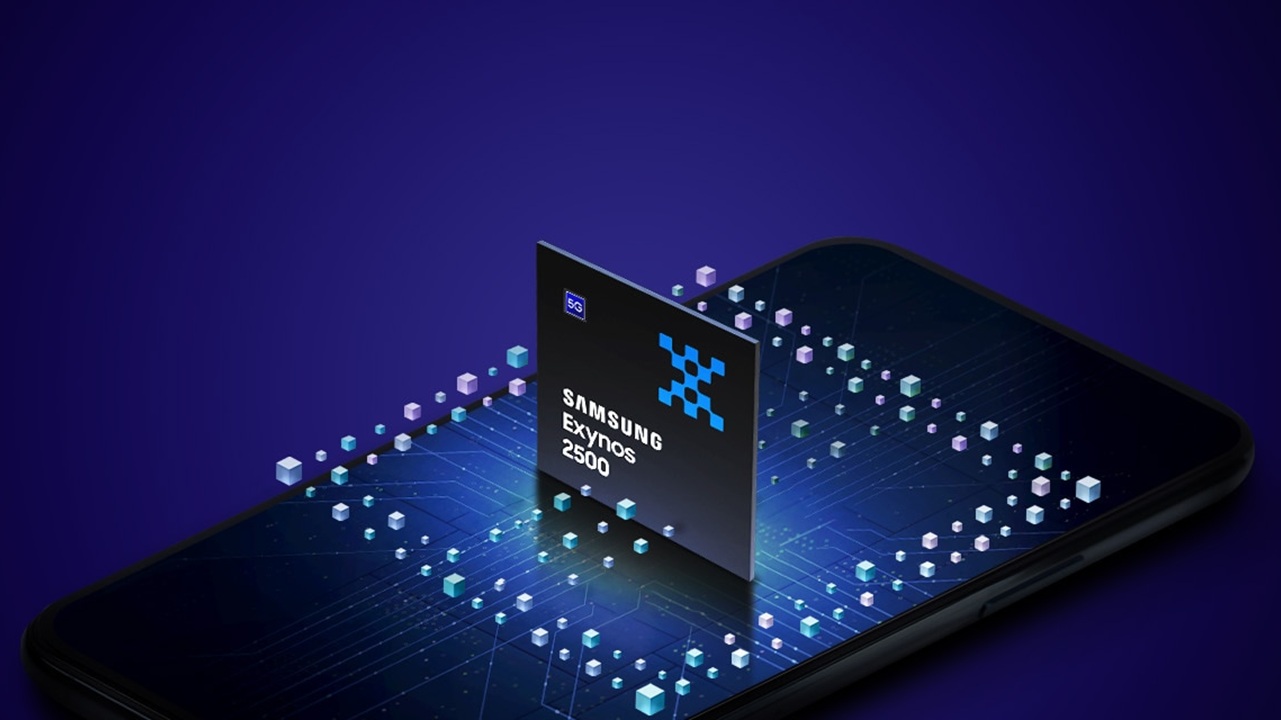
    Samsung’s newest chip technology focuses on smaller, faster, and more efficient semiconductor designs. The company is pushing boundaries with advanced fabrication processes like 3nm and beyond, using cutting-edge transistor architecture called Gate-All-Around or GAA.

    In simple terms, Samsung is making chips that can do more work while using less power and generating less heat. That might sound like a small improvement, but in the world of computing, it is a massive leap forward.

    Think of it like upgrading from a regular highway to a super-efficient expressway where more cars can travel faster using less fuel. That is essentially what Samsung is doing with its chips.

    Understanding 3nm Technology in Simple Words

    One of the biggest highlights of Samsung’s innovation is its move to 3nm chip manufacturing. The “nm” or nanometer refers to the size of the tiny components inside a chip.

    Smaller size means more transistors can fit into the same space. More transistors mean better performance and efficiency.

    Here is why 3nm matters:

    • Faster processing speeds for apps and games
    • Better battery life for smartphones and laptops
    • Reduced heat generation
    • Improved AI performance

    Compared to older 5nm or 7nm chips, 3nm technology delivers noticeable improvements that users can actually feel in daily use.

    What Is Gate-All-Around Technology?

    Gate-All-Around or GAA is the real game changer behind Samsung’s new chips.

    Traditional chips use a design called FinFET, where the transistor gate controls current from three sides. Samsung’s GAA design wraps the gate around all sides of the transistor, allowing much better control.

    That control leads to:

    • Lower power leakage
    • Higher efficiency
    • Better performance at lower voltages

    If you imagine water flowing through a pipe, GAA is like having perfect control over the valve, ensuring no waste and maximum efficiency.

    Samsung is among the first companies to commercialize this technology at scale, giving it a competitive edge in the semiconductor race.

    Why Samsung’s Chip Innovation Matters

    You might be thinking, why should the average user care about chip architecture?

    The answer is simple. Chips power everything.

    From smartphones and laptops to cars and smart home devices, better chips mean better experiences.

    Here is how Samsung’s new chip technology impacts everyday life:

    Faster Smartphones

    Apps open instantly, games run smoothly, and multitasking becomes seamless. You will notice less lag and better responsiveness.

    Longer Battery Life

    With improved efficiency, devices can last longer on a single charge. This is especially important for heavy users.

    Better AI Features

    Modern apps rely heavily on AI. Whether it is photo editing, voice assistants, or real-time translations, faster chips make these features more accurate and quicker.

    Improved Gaming Experience

    Gamers benefit from higher frame rates, better graphics, and less overheating during long sessions.

    Samsung vs Competitors

    Samsung is not alone in the chip race. Companies like TSMC, Intel, and Apple are also pushing boundaries.

    However, Samsung stands out in a few key areas:

    • Early adoption of GAA technology
    • Strong vertical integration from design to manufacturing
    • Ability to produce chips for both its own devices and other brands

    While TSMC leads in manufacturing for companies like Apple, Samsung’s approach of combining innovation with in-house production gives it unique advantages.

    The competition is intense, and that is actually good for consumers. It drives faster innovation and better products.

    Impact on Smartphones and Future Devices

    Samsung’s chip technology is already making its way into smartphones, especially in flagship devices.

    Future phones powered by these chips will likely offer:

    • Near-instant app launches
    • Advanced AI camera capabilities
    • Enhanced augmented reality experiences
    • Better 5G performance

    But it does not stop there.

    Samsung’s innovations are also expected to influence:

    • Foldable devices
    • Smartwatches and wearables
    • Autonomous vehicles
    • Data centers and cloud computing

    This means the impact of these chips goes far beyond just phones.

    Energy Efficiency and Sustainability

    One of the less talked about benefits of advanced chip technology is energy efficiency.

    Smaller and smarter chips consume less power, which helps reduce overall energy usage. For large data centers and cloud platforms, this can translate into significant environmental benefits.

    Samsung is actively focusing on reducing power consumption in its semiconductor processes. This is not just about performance anymore. It is also about sustainability.

    As the world moves toward greener technology, efficient chips will play a major role.

    Challenges Samsung Faces

    Despite its progress, Samsung’s journey is not without challenges.

    Developing advanced chips is extremely complex and expensive. Manufacturing at 3nm requires precision at an atomic level, where even tiny errors can impact performance.

    Some of the key challenges include:

    • High production costs
    • Yield issues during manufacturing
    • Intense competition from TSMC and Intel
    • Rapidly changing market demands

    However, Samsung continues to invest heavily in research and development to overcome these hurdles.

    What This Means for the Future of Technology

    Samsung’s new chip technology is not just an upgrade. It represents a shift toward a more powerful and efficient digital world.

    In the coming years, we can expect:

    • Smarter AI systems that feel more human-like
    • Devices that last longer without charging
    • Faster and more reliable connectivity
    • Breakthroughs in areas like robotics and automation

    For everyday users, this means technology will become more seamless, less intrusive, and more integrated into daily life.

    Final Thoughts

    Samsung’s advancements in chip technology might not always make headlines like smartphones do, but they are the foundation of modern innovation.

    The move to 3nm and the adoption of Gate-All-Around architecture mark a significant step forward. These changes are not just about numbers or benchmarks. They translate into real-world improvements that users can feel.

    Whether you are a casual smartphone user, a gamer, or someone who relies on technology for work, Samsung’s new chips are shaping the experience you will have in the near future.

    As competition continues and technology evolves, one thing is clear. The race to build better chips is far from over, and Samsung is firmly in the lead pack, pushing boundaries that will define the next generation of devices.

  • Latest Windows Security Update Fixes Explained Guide

    Latest Windows Security Update Fixes Explained Guide

    If you have ever seen that familiar “Restart required” message pop up on your Windows PC, you are not alone. For many users, updates feel like an interruption. But behind every Windows security update is a serious effort to protect your data, your privacy, and your system from real threats that exist online today.

    In this guide, we will break down the latest Windows security update fixes in a way that actually makes sense. No complicated jargon. No confusing technical terms. Just a clear explanation of what changed, why it matters, and what you should do next.

    Why Windows Security Updates Matter More Than Ever

    The internet today is not the same as it was a few years ago. Cyber attacks have become more advanced, more frequent, and more targeted. Hackers are no longer just going after big companies. Regular users are now a common target.

    Windows is the most widely used operating system in the world. That makes it a prime target for attackers. Every vulnerability that exists in Windows can potentially be used to:

    • Steal personal data
    • Install malware without your knowledge
    • Gain remote access to your system
    • Disrupt your daily work

    This is exactly why Microsoft releases frequent security updates. These updates are not just “improvements” but critical fixes that close gaps before attackers can exploit them.

    What the Latest Windows Security Updates Actually Fix

    Each new Windows update includes a list of fixes, often called patches. While the official notes can be technical, the core fixes usually fall into a few important categories.

    1. Vulnerability Fixes

    The biggest part of any security update is fixing vulnerabilities. These are weaknesses in the system that hackers can use to gain access.

    Recent updates have addressed:

    • Remote code execution vulnerabilities
    • Privilege escalation issues
    • Memory corruption bugs
    • Network based attack points

    For example, a remote code execution vulnerability means someone could run harmful code on your computer without you even clicking anything. Fixing this is critical.

    2. Protection Against Zero Day Threats

    A zero day vulnerability is one that is discovered before developers have time to fix it. These are especially dangerous because attackers can exploit them immediately.

    Microsoft often includes emergency fixes for these threats in their updates. The latest updates have improved detection and blocked known zero day attack methods.

    This means your system is better protected against threats that are actively being used in the real world.

    3. Improvements to Windows Defender

    Windows Defender has become a powerful built in security tool, and recent updates continue to improve it.

    Key improvements include:

    • Better malware detection accuracy
    • Faster scanning performance
    • Improved ransomware protection
    • Enhanced cloud based threat intelligence

    These updates ensure that your system can detect even newer types of threats that traditional antivirus programs might miss.

    4. Browser Security Enhancements

    Many attacks now happen through web browsers. Microsoft Edge, being deeply integrated with Windows, receives regular security improvements.

    Recent fixes include:

    • Protection against malicious websites
    • Blocking harmful downloads
    • Improved phishing detection
    • Safer browsing environment

    Even if you use another browser, system level fixes still play a role in keeping your browsing secure.

    5. Kernel and System Level Fixes

    The Windows kernel is the core part of the operating system. If it is compromised, the entire system can be affected.

    Updates often include:

    • Fixes to kernel vulnerabilities
    • Better memory handling
    • Stronger system isolation
    • Reduced risk of system level exploits

    These changes are not visible to users but are essential for long term stability and security.

    Common Problems Fixed in Recent Updates

    Besides security vulnerabilities, updates also fix everyday issues that users experience.

    System Stability Issues

    Have you ever experienced random crashes or freezing? Many of these problems are caused by underlying bugs that updates aim to fix.

    Recent patches have improved:

    • System boot reliability
    • Application stability
    • Performance under heavy usage

    Driver Compatibility Problems

    Hardware like printers, graphics cards, and USB devices rely on drivers. Updates often fix compatibility issues between Windows and these drivers.

    This leads to:

    • Fewer device errors
    • Better performance
    • Improved hardware support

    Network and Connectivity Fixes

    Internet related problems can be frustrating. Updates often address:

    • WiFi connection drops
    • Slow network speeds
    • VPN issues
    • Bluetooth connectivity problems

    How Microsoft Releases Security Updates

    Understanding how updates are released can help you stay ahead.

    Patch Tuesday

    Microsoft typically releases updates on the second Tuesday of every month. This is known as Patch Tuesday.

    These updates include:

    • Security fixes
    • Bug fixes
    • Performance improvements

    Emergency Updates

    Sometimes, critical vulnerabilities require immediate action. In such cases, Microsoft releases updates outside the regular schedule.

    These updates are especially important and should not be delayed.

    Should You Install Updates Immediately

    This is a common question, and the answer is simple. Yes, in most cases you should install updates as soon as possible.

    However, there are a few practical tips:

    • Back up important data before updating
    • Wait a day or two if you want to check for major issues reported by others
    • Restart your system after installation

    Delaying updates for too long can leave your system exposed.

    How to Check for the Latest Windows Updates

    If you are not sure whether your system is up to date, here is a quick way to check:

    1. Open Settings
    2. Go to Windows Update
    3. Click on Check for updates
    4. Install any available updates

    Make sure your system is connected to the internet and has enough battery or power.

    Signs That You Need to Update Your System

    Sometimes your system gives clear signals that updates are needed.

    Look out for:

    • Frequent security warnings
    • Slow system performance
    • Apps crashing unexpectedly
    • Unusual pop ups or behavior

    These could indicate that your system is running outdated software.

    Real World Impact of Security Updates

    It is easy to ignore updates until something goes wrong. But real world examples show how important they are.

    In the past, major attacks like ransomware outbreaks spread quickly because systems were not updated. Users who installed updates on time were protected, while others faced serious consequences.

    Security updates are not just technical changes. They are your first line of defense.

    Tips to Stay Secure Beyond Updates

    While updates are important, they are only one part of staying safe.

    Here are a few additional tips:

    Use Strong Passwords

    Avoid simple passwords. Use a mix of letters, numbers, and symbols.

    Enable Two Factor Authentication

    This adds an extra layer of security to your accounts.

    Avoid Suspicious Links

    Do not click on unknown links in emails or messages.

    Keep Your Software Updated

    Not just Windows 12 Iso Download, but all apps and programs should be updated regularly.

    Use Built In Security Tools

    Windows Defender and firewall features are powerful when properly enabled.

    What to Do If an Update Causes Problems

    Sometimes updates can cause unexpected issues. If that happens:

    • Restart your system
    • Check for newer updates that fix the issue
    • Roll back the update if necessary
    • Use system restore to revert changes

    Most problems are temporary and get fixed quickly.

    Windows 10 vs Windows 11 Security Updates

    Both versions receive security updates, but there are some differences.

    Windows 11

    • More advanced security features
    • Better hardware based protection
    • Improved system architecture

    Windows 10

    • Still supported with regular updates
    • Stable and widely used
    • Fewer new security features compared to Windows 11

    If security is your top priority, upgrading to Windows 11 can be a good choice if your system supports it.

    Final Thoughts

    Windows security updates might seem like a small inconvenience, but they play a massive role in protecting your digital life. Every update you install is one less opportunity for attackers to exploit your system.

    Think of updates as regular maintenance for your computer. Just like you would not skip servicing your car, you should not ignore system updates either.

    By staying updated, you are not just improving performance but also ensuring that your personal data, files, and daily work remain safe from evolving threats.

    In a world where cyber risks are constantly growing, keeping your Windows system updated is one of the simplest and most effective steps you can take.

  • Windows 11 Voice Typing Guide for Hands Free Typing

    Windows 11 Voice Typing Guide for Hands Free Typing

    Typing has always been the default way to interact with a computer, but things are changing fast. With Windows 11, voice typing is no longer just a basic feature. It has evolved into a smart, reliable, and surprisingly accurate tool that can replace your keyboard in many situations.

    If you have ever wished you could write emails, documents, or messages without touching the keyboard, Windows 11 voice typing makes that possible. Whether you are working, studying, or just chatting, this feature can save time and reduce effort.

    This guide walks you through everything you need to know about Windows 11 voice typing, from setup to advanced tips, in a simple and practical way.

    What is Windows 11 Voice Typing

    Windows 11 voice typing is a built in speech to text feature that converts your spoken words into written text in real time. It works across most apps including Microsoft Word, Notepad, browsers, and even chat platforms.

    Unlike older dictation tools, this version uses cloud based AI to improve accuracy and understand natural speech. That means you can speak normally instead of carefully dictating every word.

    It also supports automatic punctuation, voice commands, and multiple languages, making it useful for both casual and professional tasks.

    Why Use Voice Typing Instead of Keyboard

    Many people assume voice typing is only for accessibility, but that is no longer true. It is now a productivity tool used by writers, students, and professionals.

    Here are some real advantages

    First, it saves time. Speaking is naturally faster than typing. You can easily produce more content in less time.

    Second, it reduces physical strain. If you spend long hours typing, voice typing can help prevent wrist fatigue and discomfort.

    Third, it improves focus. When you speak your thoughts out loud, ideas often flow more naturally compared to typing.

    Finally, it is convenient. You can type while cooking, walking, or doing other tasks without needing to sit in front of a keyboard.

    How to Enable Voice Typing in Windows 11

    Getting started with voice typing is simple and does not require any additional software.

    Follow these steps

    Press Windows key + H on your keyboard
    A small voice typing panel will appear on your screen
    Click on the microphone icon to start
    Begin speaking clearly

    That is it. Your words will instantly appear in the text field you are using.

    If this is your first time, Windows may ask for microphone permission. Just allow access and you are ready to go.

    Setting Up Microphone for Better Accuracy

    Voice typing works best when your microphone is properly set up. A poor mic can reduce accuracy significantly.

    Here is how to optimize it

    Go to Settings
    Open System and then Sound
    Select your input device
    Test your microphone and adjust input volume

    If possible, use a headset or external microphone. Built in laptop microphones work, but a dedicated mic gives much better results.

    Also, try to reduce background noise. Even small sounds like fans or traffic can affect recognition.

    Understanding Voice Typing Commands

    Windows 11 voice typing is not just about speaking words. You can also control formatting and punctuation using voice commands.

    Here are some useful commands

    Say period to add a full stop
    Say comma to insert a comma
    Say question mark for questions
    Say new line to move to the next line
    Say new paragraph to start a new paragraph

    You can also say delete that to remove the last phrase or stop dictation to pause the feature.

    These commands make voice typing feel more natural and closer to real writing.

    Using Automatic Punctuation

    One of the best features in Windows 11 voice typing is automatic punctuation. When enabled, the system adds punctuation marks based on your speech pattern.

    To turn it on

    Open the voice typing panel using Windows key + H
    Click on the settings icon
    Enable automatic punctuation

    Once activated, you do not need to say punctuation commands manually. Just speak normally, and Windows will handle it for you.

    Keep in mind that it may not always be perfect, so a quick review is still recommended.

    Best Practices for Accurate Voice Typing

    Voice typing is powerful, but a few simple habits can make a big difference in accuracy.

    Speak clearly and at a natural pace. Avoid rushing or mumbling your words.

    Use short sentences. Long and complex sentences can confuse the system.

    Pause slightly between sentences. This helps the tool understand structure better.

    Avoid background noise as much as possible.

    Train yourself to think while speaking. This may feel unusual at first, but it becomes easier with practice.

    Where You Can Use Voice Typing

    One of the biggest advantages of Windows 11 voice typing is its flexibility. It works in almost every application where text input is supported.

    You can use it in

    Microsoft Word for writing documents
    Google Docs for online work
    Email clients like Outlook or Gmail
    Browsers for typing search queries or filling forms
    Chat apps such as WhatsApp Web or Slack

    This makes it a versatile tool for both personal and professional use.

    Voice Typing for Content Creation

    If you create content regularly, voice typing can completely change your workflow.

    Instead of typing every word, you can speak your ideas and let Windows convert them into text. This is especially useful for blog posts, scripts, and drafts.

    Many writers use voice typing to overcome writer’s block. Speaking feels less restrictive than typing, allowing ideas to flow more freely.

    You can then edit and refine the text later, which is often faster than writing everything from scratch.

    Common Issues and How to Fix Them

    Sometimes voice typing may not work as expected. Here are a few common issues and quick solutions.

    If voice typing does not start
    Check your internet connection
    Make sure your microphone is enabled

    If text accuracy is low
    Adjust microphone settings
    Reduce background noise
    Speak more clearly

    If the shortcut does not work
    Make sure voice typing is enabled in settings
    Restart your system if needed

    Most problems are minor and can be fixed quickly.

    Privacy and Security Considerations

    Since voice typing uses cloud based processing, your speech is sent to Microsoft servers for recognition.

    Microsoft states that this data is used to improve accuracy and user experience. However, if privacy is a concern, you can review and manage your speech settings in Windows 12 Download.

    It is always a good idea to avoid dictating sensitive information in public or shared environments.

    Tips to Improve Productivity with Voice Typing

    Once you get comfortable with voice typing, you can use it to boost your productivity in many ways.

    Use it for quick notes instead of typing
    Draft emails faster without overthinking
    Create outlines for projects or articles
    Dictate ideas on the go

    The more you use it, the more natural it becomes. Many users find that after a few days, they prefer speaking over typing for most tasks.

    Final Thoughts

    Windows 11 voice typing is more than just a convenience feature. It is a practical tool that can transform how you work and communicate on your computer.

    At first, it may feel unusual to speak instead of type, but once you get used to it, the benefits become clear. You can save time, reduce effort, and even think more creatively.

    If you have not tried it yet, now is a good time to start. Press Windows key + H, speak your thoughts, and see how quickly your words come to life on screen.

  • Hidden Windows 11 Tweaks to Boost Performance Fast

    Hidden Windows 11 Tweaks to Boost Performance Fast

    Windows 11 looks modern, feels smooth, and comes packed with features. But if you have been using it for a while, you may have noticed something frustrating. Over time, your system starts to slow down. Apps take longer to open, animations feel heavier, and multitasking is not as smooth as it should be.

    The good news is that Windows 11 still hides several powerful tweaks that most users never touch. These are not complicated hacks or risky changes. They are practical adjustments that can noticeably improve speed and responsiveness.

    If you want your PC or laptop to feel fast again without installing extra tools, these hidden tweaks can make a real difference.

    Turn Off Visual Effects That Drain Performance

    Windows 11 focuses heavily on visual appeal. Transparency effects, animations, and shadows all look great, but they consume system resources.

    Disabling unnecessary visual effects is one of the quickest ways to boost performance.

    Go to System Properties and open Performance Settings. Choose the option that lets Windows adjust for best performance, or manually disable features like animations and shadows.

    On lower end laptops, this change alone can make everything feel more responsive. Even on mid range systems, you will notice quicker window transitions and smoother multitasking.

    Disable Startup Apps You Do Not Need

    Many apps automatically start when your system boots. This increases startup time and keeps unnecessary processes running in the background.

    Open Task Manager and navigate to the Startup tab. You will see a list of apps with their impact on startup performance.

    Disable anything you do not need immediately after boot. Apps like messaging tools, update services, and launchers often run silently without adding value.

    A cleaner startup means your system reaches full speed faster and uses fewer resources during normal use.

    Optimize Background App Permissions

    Windows 11 allows many apps to run in the background even when you are not using them. This consumes CPU, RAM, and battery.

    Go to Settings and check Background Apps permissions. Disable background access for apps that do not need constant updates.

    For example, games, editing tools, or rarely used apps do not need to run in the background.

    Reducing background activity helps free up system resources and improves overall responsiveness.

    Use Storage Sense to Keep Your System Clean

    Cluttered storage can slow down performance over time. Temporary files, cache data, and unused downloads pile up quickly.

    Windows 11 includes a built in feature called Storage Sense. It automatically removes unnecessary files and keeps your system clean.

    Enable Storage Sense in Settings and configure it to run regularly. You can set it to delete temporary files, empty the recycle bin, and clean downloads after a certain period.

    A cleaner drive improves speed and reduces system lag, especially on systems with limited storage.

    Adjust Power Settings for Maximum Performance

    Windows often prioritizes energy saving, especially on laptops. This can limit CPU performance.

    Switching to a high performance power plan allows your system to use its full potential.

    Go to Power Settings and choose the best performance option. On some devices, you may need to enable additional power plans through advanced settings.

    This tweak is particularly useful for tasks like gaming, video editing, or multitasking with heavy applications.

    Disable Unnecessary Services

    Windows runs many background services that most users never use. Some of these services consume memory and processing power.

    Open the Services manager and review running services. Disable services that are not essential for your workflow.

    Be careful not to disable critical system services. Focus on optional features like fax services, remote registry, or unused network services.

    Reducing background services can free up resources and make your system more efficient.

    Turn Off Notifications and Widgets

    Notifications and widgets constantly refresh data in the background. This may not seem like a big issue, but over time it impacts performance.

    Disable widgets if you do not use them. Also, limit unnecessary notifications from apps.

    This reduces background activity and helps your system focus on active tasks rather than constant updates.

    Keep Your Drivers and System Updated

    Performance issues are not always caused by settings. Outdated drivers can also slow down your system.

    Make sure your graphics drivers, chipset drivers, and Windows updates are up to date.

    New updates often include performance improvements, bug fixes, and better hardware optimization.

    This is a simple step that many users overlook, but it plays a key role in maintaining system speed.

    Manage Virtual Memory for Better Performance

    Virtual memory acts as an extension of your RAM. When your system runs out of physical memory, it uses disk space as backup.

    Adjusting virtual memory settings can improve performance, especially on systems with limited RAM.

    Go to Advanced System Settings and configure virtual memory manually. Set a custom size based on your system specifications.

    This helps reduce lag during heavy multitasking and prevents sudden slowdowns.

    Disable Indexing for Faster Disk Access

    Windows indexing helps you search files quickly, but it constantly scans your drive in the background.

    If you do not rely heavily on search, disabling indexing can improve performance.

    Go to Indexing Options and limit indexed locations or disable it completely.

    This is particularly helpful for systems with traditional hard drives where disk activity can become a bottleneck.

    Use Game Mode Even for Non Gaming Tasks

    Game Mode in Windows 11 is designed to prioritize system resources for games. However, it can also help with other demanding tasks.

    When enabled, it reduces background activity and allocates more CPU and GPU resources to the active application.

    You can enable Game Mode in Settings. It works well for editing software, streaming, or heavy multitasking.

    Clean Boot for Maximum Efficiency

    A clean boot starts Windows 12 Iso with only essential services and drivers. This helps identify performance issues caused by third party apps.

    Performing a clean boot occasionally can improve system stability and speed.

    It also helps you find apps that slow down your system so you can remove or replace them.

    Reduce Browser Resource Usage

    Your web browser is often one of the biggest resource consumers. Too many tabs, extensions, and background processes can slow down your system.

    Use fewer extensions and close unused tabs. Many modern browsers also include performance settings to limit resource usage.

    Optimizing your browser can significantly improve overall system performance, especially if you spend a lot of time online.

    Final Thoughts

    Windows 11 is powerful, but it does not always run at its best out of the box. Many features are designed for convenience or aesthetics, not speed.

    By applying these hidden tweaks, you can unlock better performance without spending money or installing third party software.

    Start with simple changes like disabling startup apps and visual effects. Then move on to advanced tweaks like virtual memory and service management.

    The difference may not be dramatic instantly, but together these changes create a smoother, faster, and more responsive experience.

    If your system feels slow, it is often not a hardware problem. It is just a matter of using the right settings the right way.

  • Global Race to Build Powerful AI Systems

    Global Race to Build Powerful AI Systems

    The race to build powerful AI systems is no longer a distant concept discussed only in research labs. It is happening right now, shaping industries, economies, and even geopolitics. From Silicon Valley to Beijing, governments and tech giants are investing billions to develop smarter, faster, and more capable artificial intelligence.

    What makes this race different from previous technological competitions is its speed and impact. AI is not just another tool. It is a foundational technology that can influence everything from healthcare and education to defense and entertainment. The countries and companies that lead in AI today may define how the world works tomorrow.

    Why the AI Race Matters More Than Ever

    Artificial intelligence has moved far beyond simple automation. Modern AI systems can write, design, analyze data, and even make decisions that once required human intelligence. This shift has created a sense of urgency among global powers.

    The stakes are high. AI leadership means economic dominance, national security advantages, and control over critical technologies. Nations understand that falling behind in AI development could have long-term consequences.

    For everyday people, this race affects job markets, privacy, and access to technology. The tools being built today will shape how people work, learn, and interact in the future.

    Key Players in the Global AI Race

    Several major players are driving the global push for advanced AI systems. Each has its own strategy, strengths, and goals.

    United States

    The United States remains a leader in AI innovation, thanks to companies like OpenAI, Google, Microsoft, and Meta. These organizations are pushing boundaries with large language models, generative AI tools, and advanced research.

    The US benefits from a strong startup ecosystem and access to top talent. Universities and private labs work closely together, creating a powerful pipeline for innovation.

    China

    China has made AI a national priority. With strong government support and massive data resources, Chinese companies like Baidu, Alibaba, and Tencent are rapidly advancing their AI capabilities.

    China focuses heavily on real-world applications such as smart cities, surveillance systems, and industrial automation. Its approach is often more centralized compared to the US.

    Europe

    Europe takes a different path by emphasizing ethical AI and regulation. While it may not lead in raw AI power, it plays a crucial role in shaping global standards.

    The European Union is actively working on policies to ensure AI is safe, transparent, and aligned with human values.

    Other Emerging Players

    Countries like India, the United Kingdom, Canada, and Israel are also making significant contributions. These regions are investing in AI research, startups, and talent development to stay competitive.

    India, in particular, is emerging as a strong player due to its large tech workforce and growing startup ecosystem.

    The Role of Big Tech Companies

    While governments set policies, tech companies are the ones building the actual systems. Companies are competing to create the most advanced AI models, often releasing new updates at a rapid pace.

    This competition has led to breakthroughs in areas such as natural language processing, computer vision, and robotics. Tools that once seemed futuristic are now available to the public.

    However, this fast pace also raises concerns. Companies are under pressure to innovate quickly, which can sometimes lead to overlooked risks.

    AI Chips and Infrastructure

    Behind every powerful AI system is a massive amount of computing power. Specialized hardware, particularly AI chips, plays a critical role in this race.

    Companies like NVIDIA, AMD, and Intel are competing to produce faster and more efficient processors. Meanwhile, cloud providers are building huge data centers to support AI workloads.

    The demand for computing resources has created a new kind of competition, sometimes referred to as the “chip war.” Access to advanced hardware can determine who leads in AI development.

    Ethical Challenges and Risks

    As AI systems become more powerful, the risks associated with them also increase. One of the biggest concerns is misuse.

    AI can be used to create deepfakes, spread misinformation, or automate cyberattacks. Without proper safeguards, these risks could grow rapidly.

    Another major issue is bias. AI systems learn from data, and if that data contains biases, the results can be unfair or discriminatory.

    Privacy is also a growing concern. Many AI systems rely on large amounts of personal data, raising questions about how that data is collected and used.

    The Push for Regulation

    Governments around the world are beginning to recognize the need for AI regulation. The goal is to balance innovation with safety.

    Some countries are introducing laws that require transparency in AI systems. Others are focusing on data protection and ethical guidelines.

    However, regulation is not easy. Too much control can slow innovation, while too little can lead to serious risks. Finding the right balance is one of the biggest challenges in the AI race.

    Impact on Jobs and the Economy

    AI is already transforming the job market. Some roles are being automated, while new ones are being created.

    Jobs that involve repetitive tasks are most at risk. At the same time, there is growing demand for skills related to AI, data analysis, and technology.

    For businesses, AI offers opportunities to increase efficiency and reduce costs. Companies that adopt AI early may gain a significant competitive advantage.

    For workers, adapting to these changes will be essential. Learning new skills and staying updated with technology will become increasingly important.

    AI in Everyday Life

    The impact of the AI race is not limited to big companies or governments. It is already visible in daily life.

    From voice assistants and recommendation systems to smart home devices and online tools, AI is everywhere. Many people use AI without even realizing it.

    As systems become more advanced, they will become even more integrated into daily routines. This could make life more convenient, but it also raises questions about dependence on technology.

    Collaboration vs Competition

    While the AI race is often framed as a competition, collaboration also plays a role. Researchers and companies sometimes share knowledge and work together on common challenges.

    Open-source projects and international partnerships can accelerate progress. However, geopolitical tensions can limit collaboration, especially in sensitive areas.

    Balancing competition with cooperation will be important for the future of AI.

    What the Future Might Look Like

    Predicting the future of AI is not easy, but some trends are clear. AI systems will continue to become more powerful and more capable.

    We may see breakthroughs in areas like healthcare, where AI could help diagnose diseases earlier and more accurately. Education could become more personalized, with AI adapting to individual learning styles.

    At the same time, new challenges will emerge. Questions about control, safety, and ethics will become even more important.

    The outcome of the AI race will not just depend on technology. It will also depend on how societies choose to use and regulate that technology.

    Final Thoughts

    The global race to build powerful AI systems is shaping the future in ways that are hard to ignore. It is a story of innovation, ambition, and competition, but also one of responsibility.

    For individuals, businesses, and governments, the key will be to stay informed and prepared. AI is not just a trend. It is a transformative force that will continue to evolve.

    Understanding this race is the first step toward navigating the changes it brings. Whether as a user, a developer, or a policymaker, everyone has a role to play in shaping how AI impacts the world.

  • Human Like AI Voice Technology Explained Guide

    Human Like AI Voice Technology Explained Guide

    If you have recently watched a video, listened to a podcast, or even interacted with a chatbot, there is a good chance you have already experienced human like AI voice technology without realizing it. What once sounded robotic and flat has now evolved into voices that feel natural, emotional, and surprisingly real.

    This shift has changed the way we create content, communicate with machines, and even run businesses. From YouTube creators to large companies, everyone is starting to rely on AI voices that can speak just like a human.

    In this guide, you will understand how human like AI voice technology works, why it matters, where it is used, and what the future holds.

    What Is Human Like AI Voice Technology

    AI Voice

    Human like AI voice technology refers to advanced systems that convert text into speech that sounds natural and expressive. Unlike older text to speech systems that sounded monotone, modern AI voices include emotion, pauses, tone variation, and realistic pronunciation.

    The goal is simple. Make a machine sound like a real person.

    These systems are powered by artificial intelligence models trained on thousands of hours of human speech. They learn how humans speak, including rhythm, pitch, and subtle emotions.

    As a result, AI voices today can sound friendly, serious, excited, or even empathetic depending on the situation.

    How AI Voice Technology Works

    To understand how realistic AI voices are created, it helps to break the process into simple steps.

    1. Text Analysis

    The system first reads and understands the text. It identifies punctuation, sentence structure, and meaning. This helps the AI decide where to pause and how to emphasize words.

    2. Linguistic Processing

    Next, the text is converted into phonemes, which are the basic units of sound in a language. This step ensures accurate pronunciation.

    3. Neural Voice Generation

    Modern AI uses deep learning models, often called neural networks, to generate speech. These models are trained on real human recordings and learn patterns of natural speech.

    4. Adding Emotion and Tone

    Advanced systems add emotion by adjusting pitch, speed, and stress on certain words. This is what makes the voice feel human rather than robotic.

    5. Audio Output

    Finally, the system produces a high quality audio file that sounds like a real person speaking.

    Key Features of Human Like AI Voices

    The biggest difference between traditional and modern AI voices lies in the details. Here are some features that make AI voices sound realistic.

    Natural Intonation

    The voice rises and falls naturally, just like human speech. This avoids the flat tone of older systems.

    Emotional Expression

    AI can simulate emotions such as happiness, sadness, excitement, or calmness.

    Multilingual Support

    Many AI tools can speak multiple languages and even switch between accents.

    Voice Cloning

    Some platforms allow users to create a digital version of their own voice.

    Real Time Processing

    AI voices can now be generated instantly, making them useful for live applications.

    Popular Uses of AI Voice Technology

    Human like AI voices are not just a novelty. They are being used in real world applications across industries.

    Content Creation

    YouTubers, podcasters, and bloggers use AI voices to create content quickly without recording their own voice.

    Customer Support

    Many companies use AI voice assistants to handle calls and answer customer queries.

    E Learning

    Educational platforms use AI narration to create engaging lessons and tutorials.

    Audiobooks

    Publishers use AI voices to produce audiobooks faster and at lower cost.

    Gaming and Animation

    Game developers use AI voices to create characters and dialogues.

    Accessibility

    AI voices help visually impaired users by reading text aloud.

    Benefits of Human Like AI Voice Technology

    There is a reason why this technology is growing so fast. It offers several clear advantages.

    Saves Time

    Creating voice content manually takes hours. AI can do it in minutes.

    Cost Effective

    Hiring voice artists can be expensive. AI provides a budget friendly alternative.

    Consistency

    AI voices maintain the same tone and quality every time.

    Scalability

    You can create large amounts of audio content quickly.

    Customization

    Users can choose different voices, accents, and speaking styles.

    Challenges and Limitations

    While AI voice technology is impressive, it is not perfect.

    Lack of True Emotion

    Even though AI can simulate emotions, it may still lack the depth of real human feeling.

    Ethical Concerns

    Voice cloning can be misused if not regulated properly.

    Dependence on Data

    The quality of AI voices depends on the data used for training.

    Detection Issues

    In some cases, it can be difficult to distinguish between real and AI generated voices.

    Best AI Voice Tools in 2026

    Several platforms are leading the way in human like AI voice technology.

    ElevenLabs

    Known for highly realistic voices and advanced voice cloning.

    Murf AI

    Popular among content creators for its ease of use.

    PlayHT

    Offers a wide range of voices and languages.

    Descript

    Combines audio editing with AI voice generation.

    Amazon Polly

    A reliable option for developers and businesses.

    Human Touch in AI Voice Content

    Even with advanced technology, the human touch still matters. The best results often come from combining AI efficiency with human creativity.

    For example, choosing the right script, tone, and pacing can make a huge difference. A well written script can make an AI voice sound much more natural.

    Think of AI as a tool rather than a replacement. It enhances your work, but your input still shapes the final result.

    Future of AI Voice Technology

    The future of human like AI voices looks incredibly promising.

    We are already seeing voices that can adapt in real time based on context. Soon, AI may be able to hold full conversations with natural emotion and understanding.

    Some expected trends include:

    More realistic emotional intelligence
    Better voice cloning with fewer samples
    Real time translation with natural voices
    Integration with virtual reality and metaverse platforms

    As technology improves, the line between human and AI voices will continue to blur.

    Final Thoughts

    Human like AI voice technology is no longer just a futuristic concept. It is here, and it is transforming how we communicate and create content.

    Whether you are a content creator, business owner, or just curious about AI, understanding this technology gives you a clear advantage. It saves time, reduces cost, and opens new creative possibilities.

    At the same time, it is important to use it responsibly. As voices become more realistic, ethical use will become even more important.

    The bottom line is simple. AI voices are getting closer to sounding human every day, and those who learn how to use them effectively will stay ahead in the digital world.

  • Microsoft Expands AI Integration in Windows Apps

    Microsoft Expands AI Integration in Windows Apps

    Microsoft is quietly but steadily reshaping the way people interact with their computers. What once felt like separate tools scattered across an operating system is now evolving into a connected, intelligent ecosystem. The latest push to integrate artificial intelligence across Windows apps is not just another feature update. It represents a shift in how everyday tasks are completed, how productivity is measured, and how users expect software to behave.

    If you have used Windows recently, you may have already noticed subtle changes. Suggestions that feel more relevant, tools that anticipate what you need, and apps that seem to “understand” your workflow. These are not random improvements. They are part of Microsoft’s broader strategy to embed AI deeply into the core of Windows.

    The Vision Behind AI Integration in Windows

    Microsoft’s approach to AI is not about adding flashy tools that sit unused after a few days. Instead, the company is focusing on practical integration. The goal is simple: reduce friction in daily tasks.

    Think about how much time is spent switching between apps, searching for files, rewriting emails, or organizing data. Microsoft sees these small inefficiencies as opportunities. By embedding AI directly into Windows apps, the company aims to make those tasks faster and more intuitive.

    This vision is largely powered by technologies like Microsoft Copilot, which acts as an intelligent assistant across multiple apps. Rather than being limited to one program, AI becomes a layer that connects everything.

    AI in Microsoft Word: Smarter Writing Assistance

    Microsoft Word has come a long way from being just a document editor. With AI integration, it is turning into a writing partner.

    Users can now generate drafts, rewrite paragraphs, adjust tone, and even summarize long documents in seconds. For someone working on reports or articles, this can save hours of effort. But what stands out is how natural the experience feels.

    Instead of interrupting your workflow, AI suggestions appear when needed. You remain in control, but you have a powerful assistant ready to step in whenever required.

    For example, if you are struggling to start a document, you can simply provide a short prompt and let AI create a structured draft. From there, you can refine and personalize it, keeping your voice intact.

    Excel Gets a Brain: Data Analysis Made Easy

    Excel has always been powerful, but not everyone knows how to unlock its full potential. Complex formulas and data analysis can feel overwhelming, especially for beginners.

    AI is changing that.

    With new AI features, users can ask questions in plain language and get instant insights. Instead of writing formulas manually, you can type something like “show me trends in monthly sales” and Excel will do the heavy lifting.

    This makes data analysis more accessible. Small business owners, students, and professionals can all benefit without needing advanced technical skills.

    Another advantage is predictive analysis. AI can identify patterns, highlight anomalies, and suggest visualizations that make data easier to understand.

    PowerPoint: From Ideas to Presentations in Minutes

    Creating a presentation often takes longer than expected. Designing slides, choosing layouts, and organizing content can be time consuming.

    With AI integration, PowerPoint is becoming significantly faster to use.

    You can generate entire presentations from a simple idea or document. AI helps structure slides, suggest visuals, and even write speaker notes. This is especially useful for professionals who need to prepare presentations quickly.

    The design suggestions are also more refined. Instead of generic templates, AI adapts layouts based on your content, making presentations look polished without much effort.

    Outlook and AI: Smarter Communication

    Email remains a critical communication tool, but managing it can be overwhelming. Long threads, repetitive replies, and missed messages are common challenges.

    Microsoft is addressing this with AI powered features in Outlook.

    Users can summarize email threads, draft replies, and prioritize important messages automatically. This reduces the mental load of managing inboxes.

    For professionals handling dozens of emails daily, these features can make a noticeable difference. Instead of spending time sorting through messages, you can focus on what truly matters.

    AI also helps maintain tone and clarity in communication. Whether you need a formal response or a quick reply, the system adapts accordingly.

    File Explorer and Windows Search Become Smarter

    Finding files on a computer can sometimes feel like searching for a needle in a haystack. Even with organized folders, it is easy to lose track of documents.

    Microsoft is improving this experience with AI enhanced search.

    Instead of relying on exact file names, users can search using natural language. For example, typing “photos from last summer trip” or “budget file from last month” can bring up relevant results.

    This shift makes file management more intuitive. You no longer need to remember precise details. The system understands context and intent.

    Paint, Photos, and Creative Apps Get an Upgrade

    AI is not limited to productivity tools. Creative apps in Windows are also evolving.

    Microsoft Paint, once considered basic, now includes AI features like background removal and image generation. The Photos app offers intelligent editing tools that can enhance images automatically.

    These updates are particularly useful for casual users who want quick results without learning complex software. At the same time, they provide a foundation for more advanced creative workflows.

    The gap between professional and everyday tools is shrinking, and AI is the driving force behind it.

    Microsoft Copilot: The Center of It All

    At the heart of this transformation is Microsoft Copilot.

    Copilot acts as a unified assistant that works across Windows apps. It understands context, remembers user preferences, and provides assistance wherever needed.

    For example, you can ask Copilot to summarize a document, create a presentation based on it, and draft an email to share it. All of this can happen without switching between multiple apps manually.

    This level of integration is what sets Microsoft apart. Instead of isolated AI features, the company is building a connected experience.

    Privacy and Security Considerations

    With increased AI integration, concerns about privacy and data security naturally arise.

    Microsoft has emphasized that user data protection remains a priority. Many AI features are designed with enterprise level security in mind, ensuring that sensitive information is handled responsibly.

    Users also have control over how AI interacts with their data. Transparency and customization options are key parts of the system.

    However, it is important for users to stay informed and understand how these tools work. AI is powerful, but it should always be used with awareness.

    Real World Impact on Productivity

    The biggest question is whether these AI features actually make a difference in daily life.

    For many users, the answer is yes.

    Tasks that once took hours can now be completed in minutes. Writing, analyzing data, creating presentations, and managing communication are all becoming faster and more efficient.

    But beyond speed, there is another benefit: reduced mental effort.

    AI handles repetitive tasks, allowing users to focus on creative and strategic work. This shift can lead to better outcomes and less burnout.

    Challenges and Limitations

    While AI integration is impressive, it is not perfect.

    There are times when suggestions may not fully match user intent. Overreliance on AI can also lead to less critical thinking if users accept outputs without review.

    Additionally, not all features are available in every region or version of Windows. Some require subscriptions or specific hardware capabilities.

    These limitations highlight the importance of balance. AI should be seen as a tool, not a replacement for human judgment.

    The Future of AI in Windows

    Microsoft’s current updates are just the beginning.

    As AI technology continues to evolve, we can expect even deeper integration across Windows apps. Features will become more personalized, more accurate, and more proactive.

    The line between operating system and assistant will continue to blur. Computers will not just respond to commands. They will anticipate needs.

    This future may sound ambitious, but it is already taking shape.

    Final Thoughts

    Microsoft’s expansion of AI across Windows apps is not about adding complexity. It is about simplifying everyday tasks.

    From writing documents to analyzing data and managing emails, AI is becoming a natural part of the workflow. The changes may feel subtle at first, but over time, they redefine how people use their computers.

    For users willing to explore these features, the benefits are clear. More efficiency, better organization, and a smoother digital experience.

    The real transformation is not just in the tools themselves, but in how seamlessly they fit into daily life.

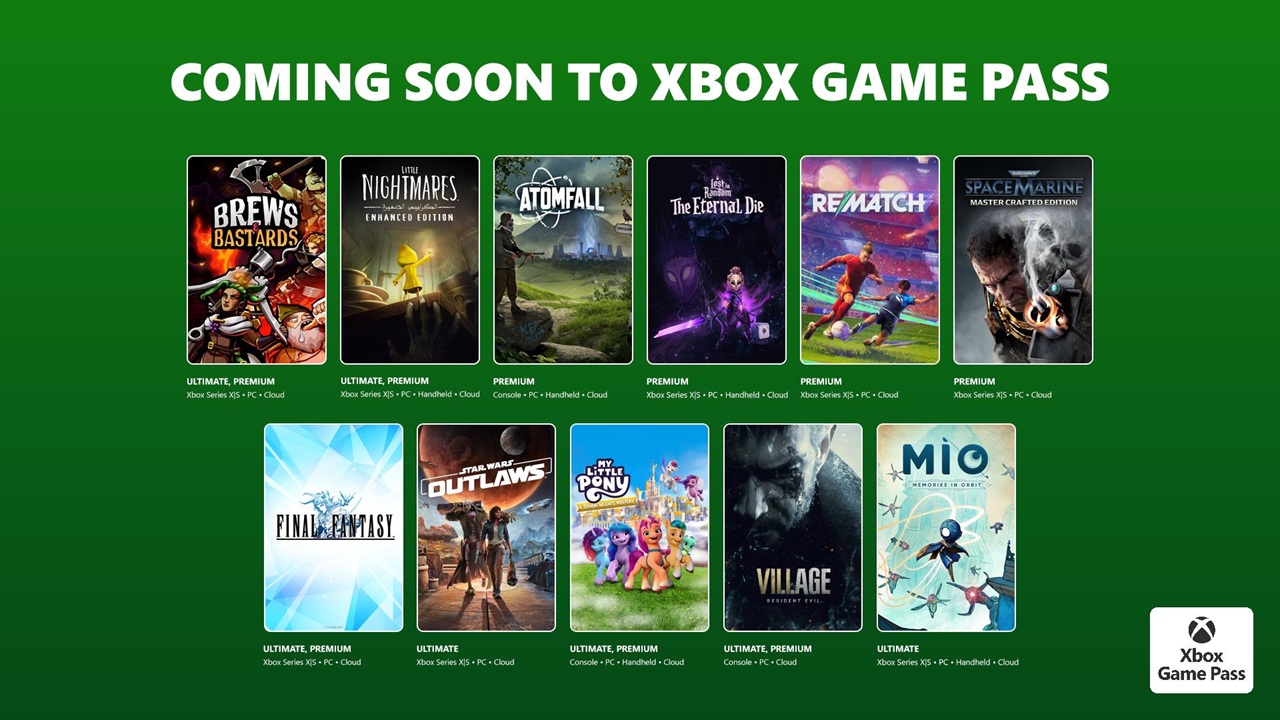
  • Xbox Game Pass 2026 Expansion and New AAA Games

    Xbox Game Pass 2026 Expansion and New AAA Games

    Xbox Game Pass has steadily transformed the way people experience gaming. What started as a simple subscription service has evolved into a full ecosystem that connects players across console, PC, and cloud. Now, in 2026, the expansion of Xbox Game Pass feels less like an update and more like a major shift in how AAA games are delivered to players.

    If you have been following the gaming industry even casually, you have probably noticed one thing: Xbox Game Pass is no longer just an option. For many players, it has become the main way they access games.

    A Bigger Vision for Game Pass in 2026

    Xbox

    Microsoft’s approach in 2026 is clearly focused on scale and accessibility. Instead of relying on traditional game sales alone, the company is investing heavily in making Game Pass the center of its gaming strategy.

    The expansion this year is not just about adding more titles. It is about creating a platform where players can instantly jump into high quality games without worrying about individual purchases. This shift is especially important as game prices continue to rise globally.

    In simple terms, Game Pass is moving closer to becoming the Netflix of gaming, but with deeper interactivity and ownership options.

    Massive Lineup of New AAA Games

    One of the biggest highlights of the 2026 expansion is the addition of several AAA titles. These are not just older games being recycled. Many of them are launching directly on Game Pass on day one.

    This strategy has changed expectations. Players no longer wait months or years for big titles to become affordable. Instead, they can access them instantly as part of their subscription.

    Some expected categories of AAA games joining Game Pass include:

    • Open world RPGs with massive storylines and character development
    • Competitive multiplayer shooters with regular updates
    • Story driven cinematic games from top studios
    • Racing and sports titles with realistic gameplay
    • Indie AAA hybrids that combine creativity with high production value

    Microsoft’s growing list of studio acquisitions is also playing a major role here. With more first party developers under its umbrella, the company can deliver exclusive titles directly into Game Pass without delay.

    Day One Releases Are Changing Everything

    A few years ago, the idea of playing a brand new AAA game on launch day through a subscription felt unrealistic. In 2026, it has become normal.

    This is one of the biggest reasons behind Game Pass growth. Players feel they are getting real value, not just a collection of older titles.

    From a gamer’s perspective, this removes a major barrier. There is no longer a need to decide whether a game is worth its full price. You can simply try it.

    For developers, it also creates a new kind of exposure. Instead of relying only on sales numbers, they can reach millions of players instantly.

    Expansion of Cloud Gaming

    Cloud gaming is another key part of the 2026 expansion. Xbox is pushing hard to make high quality gaming accessible without expensive hardware.

    With Game Pass Ultimate, players can stream games directly to:

    • Smartphones
    • Tablets
    • Low end PCs
    • Smart TVs

    This means you do not necessarily need a powerful console to enjoy AAA games anymore. As long as you have a stable internet connection, you can jump into a full scale gaming experience.

    This shift is particularly important in regions where high end gaming hardware is expensive or hard to access.

    Improved Performance and Features

    The 2026 update is not only about content. Microsoft is also improving the overall experience.

    Some of the enhancements players are noticing include:

    • Faster loading times across cloud and console
    • Better graphics optimization for streaming
    • Improved controller responsiveness in cloud mode
    • Cross platform progress syncing
    • Enhanced recommendation system based on player behavior

    These changes may sound technical, but they directly impact how smooth and enjoyable gaming feels.

    Game Pass Tiers and Pricing Updates

    With expansion comes changes in pricing and subscription tiers. In 2026, Xbox Game Pass continues to offer multiple plans, but with clearer value differences.

    Typical tiers include:

    • Console plan for Xbox users
    • PC plan for desktop gamers
    • Ultimate plan that combines console, PC, and cloud gaming

    While there have been slight price adjustments, most users still consider Game Pass a cost effective option compared to buying multiple AAA games individually.

    For example, purchasing just two or three major titles can often cost more than several months of Game Pass.

    The Role of Indie Developers

    While AAA games are the headline attraction, indie developers continue to play a crucial role in Game Pass.

    The 2026 expansion includes a strong lineup of indie titles that bring unique gameplay ideas and fresh storytelling. These games often become unexpected hits because they are easily discoverable through the subscription.

    This balance between big budget titles and creative indie projects makes Game Pass more diverse and engaging.

    Why Gamers Are Choosing Game Pass

    There are several reasons why more players are switching to Game Pass in 2026.

    First, the value is hard to ignore. Access to hundreds of games for a monthly fee feels like a smart choice, especially for players who enjoy trying different genres.

    Second, the convenience factor is huge. There is no need to manage multiple purchases or worry about storage in the same way, thanks to cloud options.

    Third, the constant updates keep the library fresh. There is always something new to explore.

    Finally, the inclusion of day one releases gives players a sense of being part of the latest gaming trends without extra cost.

    Challenges and Criticism

    Despite its success, Game Pass is not without criticism.

    Some players worry about long term ownership. When you stop subscribing, you lose access to the games. This is very different from traditional purchases.

    There are also concerns from developers about revenue models. While Game Pass offers exposure, it changes how profits are distributed.

    Additionally, cloud gaming still depends heavily on internet quality. In areas with unstable connections, the experience may not be ideal.

    These challenges show that while Game Pass is growing rapidly, it is still evolving.

    What This Means for the Gaming Industry

    The expansion of Xbox Game Pass in 2026 is influencing the entire gaming industry.

    Competitors are now focusing more on subscription models. We are seeing similar services from other platforms trying to match the value offered by Game Pass.

    At the same time, game development strategies are shifting. Studios are thinking about player engagement and retention, not just initial sales.

    This could lead to more content updates, longer game lifecycles, and stronger community involvement.

    A Personal Perspective on the Shift

    If you have been gaming for a while, the difference is easy to feel. There was a time when buying a single game was a big decision. You would read reviews, watch gameplay videos, and think carefully before spending money.

    Now, with Game Pass, that pressure is gone. You can explore freely, try new genres, and even discover games you would have never considered before.

    It changes how you interact with games. It becomes less about ownership and more about experience.

    What to Expect Next

    Looking ahead, the future of Xbox Game Pass seems focused on even deeper integration.

    We can expect:

    • More exclusive AAA titles launching directly on the platform
    • Expansion into more regions with better cloud infrastructure
    • Partnerships with third party developers for bigger releases
    • Continued improvements in streaming quality
    • Integration with new technologies like AI driven recommendations

    Microsoft is clearly betting big on Game Pass, and so far, that bet is paying off.

    Final Thoughts

    The Xbox Game Pass 2026 expansion is not just about adding more games. It represents a shift in how gaming is consumed and valued.

    With a growing library of AAA titles, improved cloud gaming, and a focus on accessibility, Game Pass is setting a new standard for the industry.

    For players, it offers freedom and variety. For developers, it opens new opportunities. And for the gaming world as a whole, it signals a future where access matters more than ownership.

    Whether you are a casual player or a dedicated gamer, it is hard to ignore the impact Game Pass is having in 2026.