Blog

  • PlayStation 6 Rumors and Expected Features

    PlayStation 6 Rumors and Expected Features

    The gaming world never really slows down. Just when players begin to settle into a console generation, whispers about the next big thing start to surface. That is exactly what is happening with the PlayStation 6. Even though Sony has not officially confirmed anything yet, rumors, industry hints, and technology trends are painting a surprisingly clear picture of what could come next.

    If you have been following PlayStation for years, you already know how each generation pushes boundaries in unexpected ways. From the leap to 3D gaming with the original PlayStation to ultra fast SSDs in the PS5, Sony has a habit of reshaping how games feel and perform. The PlayStation 6 is expected to continue that tradition, but possibly in ways that feel even more personal and immersive.

    Let us take a closer look at everything we know so far, along with realistic expectations based on current technology.

    When Could the PlayStation 6 Release
    PlayStation 6

    Sony typically follows a six to seven year console cycle. The PlayStation 5 launched in late 2020, which naturally puts the PlayStation 6 somewhere around 2026 or 2027. Industry analysts and insiders are leaning toward this timeline, especially as hardware advancements and development pipelines align with that window.

    However, there is a twist. The gaming landscape is evolving quickly. Cloud gaming, streaming services, and AI powered tools are reshaping how games are built and played. Because of this, Sony might adjust its strategy slightly, possibly introducing a phased release or multiple hardware variants.

    Still, if you are waiting for the next big console upgrade, it is safe to assume that the PlayStation 6 will not arrive overnight. It will likely appear when the PS5 generation begins to feel limited by new game demands.

    Expected Hardware Upgrades

    One of the biggest talking points around the PlayStation 6 is its hardware. Each generation brings significant performance improvements, but the PS6 could represent a much bigger leap than usual.

    Next Generation Processor

    The PlayStation 6 will almost certainly use a custom AMD chip again, but with a newer architecture focused on efficiency and raw power. Expect faster clock speeds, better multi core performance, and improved energy management.

    This means smoother gameplay, faster load times, and the ability to handle more complex game worlds without breaking immersion.

    Advanced Graphics Capabilities

    Ray tracing became mainstream with the PS5, but the PlayStation 6 is expected to take it much further. Real time lighting, reflections, and shadows could reach a level where games start to look almost indistinguishable from reality.

    There are also rumors about support for 8K gaming. While that might sound excessive right now, it shows where Sony is aiming in terms of future proofing the console.

    AI Driven Performance Enhancements

    Artificial intelligence is already playing a role in gaming, but the PlayStation 6 could integrate AI much deeper into the system. This might include smarter upscaling techniques, dynamic performance adjustments, and even AI assisted game development tools.

    Imagine a console that learns how you play and adjusts graphics settings automatically to give you the best experience without manual tweaking.

    Storage and Speed Improvements

    The PS5 introduced ultra fast SSD technology that drastically reduced loading times. The PlayStation 6 is expected to build on this with even faster storage solutions.

    Games could load almost instantly, with large open worlds streaming seamlessly without noticeable delays. Developers might also create more detailed environments because they no longer need to worry about slow data transfer speeds.

    In practical terms, this means less waiting and more playing, which is something every gamer appreciates.

    Backward Compatibility

    One of the most common questions is whether the PlayStation 6 will support older games. Sony has been improving backward compatibility over time, and it is likely that the PS6 will continue this trend.

    Players may be able to access their PS5 libraries without any issues, and possibly even older titles depending on how Sony handles emulation and licensing.

    This is important because modern gamers invest heavily in digital libraries. Losing access to those games would be a major drawback, so Sony is expected to prioritize compatibility.

    Virtual Reality and Immersion

    Virtual reality is no longer just a side feature. With devices like PlayStation VR2, Sony has shown a serious commitment to immersive gaming.

    The PlayStation 6 could take this further by offering deeper VR integration, better performance, and possibly wireless VR solutions. Improved motion tracking, higher resolution displays, and reduced latency could make VR feel more natural than ever before.

    Beyond VR, there are also discussions about augmented reality and mixed reality features. While this might not be fully realized in the first version of the PS6, it is definitely part of the long term vision.

    Controller Innovations

    The DualSense controller introduced haptic feedback and adaptive triggers, which changed how players interact with games. The PlayStation 6 controller is expected to refine and expand these features.

    Future controllers might include more precise feedback systems, improved battery life, and even biometric sensors. For example, the controller could detect your heart rate or stress level and adjust gameplay accordingly.

    While that may sound futuristic, technology is already moving in that direction.

    Cloud Gaming and Digital Ecosystem

    Gaming is no longer limited to physical consoles. Cloud gaming services are becoming more popular, allowing players to stream games without downloading them.

    Sony is likely to expand its cloud gaming capabilities with the PlayStation 6. This could include better integration with PlayStation Plus, faster streaming performance, and more flexible access across devices.

    You might start a game on your console and continue playing on another device without losing progress. This kind of seamless experience is becoming a major focus in the industry.

    Game Development and Exclusives

    Hardware alone does not define a console. Games are what truly matter. Sony has built a strong reputation for high quality exclusives, and the PlayStation 6 will rely heavily on this strength.

    Developers will have access to more powerful tools, allowing them to create larger worlds, smarter AI characters, and more detailed storytelling experiences.

    We can expect new franchises along with sequels to popular titles. The combination of advanced hardware and creative freedom could lead to some of the most ambitious games ever made.

    Design and Form Factor

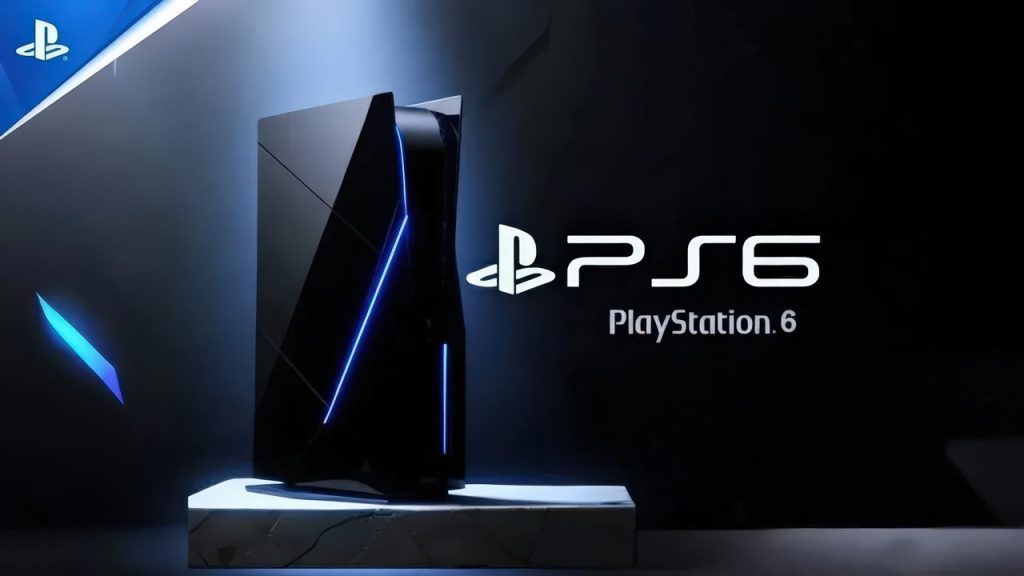
    While there is no confirmed design yet, the PlayStation 6 will likely be more compact and efficient compared to the PS5. Cooling systems, energy efficiency, and overall aesthetics will play a big role.

    Sony may also explore modular designs or customizable elements, giving users more control over how their console looks and performs.

    Price Expectations

    Pricing is always a sensitive topic. With advanced technology comes higher costs, but Sony will need to balance performance with affordability.

    The PlayStation 6 could launch in a range similar to previous consoles, possibly with multiple versions offering different storage or performance levels.

    Subscription services and digital sales will also influence pricing strategies, making the overall ecosystem more flexible.

    Should You Wait for the PlayStation 6

    If you are currently using a PlayStation 5, there is no urgent need to upgrade anytime soon. The PS5 still has years of life left, with many upcoming games designed specifically for it.

    However, if you are planning long term or are simply curious about the future of gaming, the PlayStation 6 is shaping up to be an exciting step forward.

    It is not just about better graphics or faster performance. It is about creating a more connected, immersive, and personalized gaming experience.

    Final Thoughts

    The PlayStation 6 remains a mystery in many ways, but the direction is clear. Sony is preparing for a future where gaming feels more real, more accessible, and more integrated into everyday life.

    From powerful hardware to AI driven features and advanced VR capabilities, the next generation console could redefine what players expect from gaming.

    While rumors should always be taken with caution, they often reflect real industry trends. And if even half of these expectations become reality, the PlayStation 6 could be one of the most significant console launches in gaming history.

    For now, all we can do is watch, wait, and imagine what comes next.

  • Call of Duty 2026 Leaks and Expected Features

    Call of Duty 2026 Leaks and Expected Features

    The Call of Duty franchise has never really slowed down. Every year, players wait for the next release with a mix of excitement and skepticism. Some hope for innovation, others just want the classic fast-paced experience that made the series iconic. Now, as early leaks and rumors around Call of Duty 2026 begin to circulate, the conversation is heating up again.

    While nothing is officially confirmed yet, several leaks, insider hints, and industry patterns give us a strong idea of what could be coming next. If you have been following Call of Duty for a while, you already know that even small changes can make a huge difference in gameplay. This time, expectations are even higher.

    Let’s break down everything we know so far in a clear and realistic way.

    The Current State of Call of Duty

    Before jumping into 2026, it helps to understand where the franchise stands today.

    Recent Call of Duty titles have focused heavily on realism, live service updates, and Warzone integration. Some players loved the improved graphics and weapon mechanics, while others felt the games became too similar year after year.

    One common complaint has been a lack of fresh ideas. Maps feel familiar, gameplay loops repeat, and innovation sometimes takes a back seat to monetization.

    That is exactly why Call of Duty 2026 feels important. It is expected to be more than just another yearly release. Many insiders suggest it could be a turning point.

    Call of Duty 2026 Release Date Expectations

    Activision has followed a very consistent pattern for years. Most Call of Duty titles launch between late October and early November. Unless something major changes, Call of Duty 2026 will likely follow the same schedule.

    Based on current patterns, a reasonable expectation would be:

    • Announcement around mid 2026
    • Beta access in late summer
    • Full release in October or November 2026

    Of course, delays are always possible, especially if developers decide to polish the game further. Given the pressure to innovate, a delay would not be surprising.

    Setting and Storyline Rumors

    One of the biggest questions is always the setting.

    Leaks suggest that Call of Duty 2026 may return to a modern or near-future setting rather than going too far into sci-fi. This makes sense because modern warfare themes tend to attract the largest audience.

    Some rumored directions include:

    • A continuation of the Modern Warfare storyline
    • A reboot with new characters and global conflict themes
    • A hybrid setting combining current technology with experimental weapons

    Players have shown a strong preference for grounded stories with emotional depth rather than over-the-top futuristic elements. If the developers lean into that, it could be a major win.

    Gameplay Changes and Mechanics

    If there is one area where players want improvement, it is gameplay.

    Leaked details and community speculation point toward several possible upgrades.

    Movement System Improvements

    Movement has been a controversial topic in recent titles. Some players prefer slower, tactical gameplay, while others enjoy fast, aggressive movement.

    Call of Duty 2026 may introduce a balanced system that keeps mobility smooth without making it feel unrealistic. Think responsive controls without excessive sliding or jumping mechanics.

    Smarter AI and NPC Behavior

    Campaign missions could feel more immersive with improved enemy AI. Instead of predictable patterns, enemies might react dynamically to player actions.

    This would make single-player content more engaging, especially for players who enjoy story-driven gameplay.

    Weapon Customization Expansion

    Gunsmith systems are expected to return with deeper customization options. Players may get more control over attachments, recoil behavior, and weapon tuning.

    The goal seems to be offering flexibility without overwhelming casual players.

    Graphics and Engine Upgrades

    With each new release, visual quality improves, but Call of Duty 2026 might push things further.

    Rumors suggest enhancements in:

    • Realistic lighting and shadows
    • More detailed environments
    • Improved character animations
    • Better destruction physics

    These upgrades are not just about looks. They can impact gameplay by making environments feel more interactive and immersive.

    For example, destructible cover or dynamic weather could change how matches play out.

    Multiplayer Expectations

    Multiplayer is the heart of Call of Duty, and expectations are always high.

    New Maps and Classic Returns

    It is likely that Call of Duty 2026 will introduce a mix of brand-new maps and remastered classics. This approach has worked well in the past, appealing to both new players and long-time fans.

    Improved Matchmaking

    Matchmaking has been a hot topic for years. Skill-based systems have divided the community, with some players enjoying balanced matches and others finding them frustrating.

    Developers may tweak matchmaking to make it feel less restrictive while still keeping games competitive.

    Anti Cheat Improvements

    Cheating continues to be a major issue in online gaming. There are strong expectations that Call of Duty 2026 will include better anti-cheat systems to ensure fair gameplay.

    Warzone Integration

    Warzone is no longer just a side mode. It is a core part of the Call of Duty ecosystem.

    Call of Duty 2026 will almost certainly connect with Warzone in some way. Possible updates include:

    • A brand new Warzone map
    • Updated mechanics aligned with the main game
    • Seasonal events tied to the campaign storyline

    The success of Warzone depends heavily on keeping content fresh. A new main title is the perfect opportunity to refresh the experience.

    Zombies Mode Rumors

    Zombies has always had a dedicated fan base.

    There are strong rumors that Call of Duty 2026 will bring back Zombies with a more refined approach. Possible features include:

    • Larger, open-world style maps
    • Deeper story elements
    • More cooperative gameplay options

    If done right, Zombies could become one of the standout features of the game rather than just a side mode.

    Cross Platform and Accessibility

    Cross platform play is now expected, not optional.

    Call of Duty 2026 will almost certainly support:

    • Cross play between console and PC
    • Cross progression across devices

    Accessibility is also becoming a bigger focus in gaming. Features like customizable controls, visual aids, and audio adjustments may be expanded to make the game more inclusive.

    Monetization and Battle Pass

    Monetization is always a sensitive topic.

    Call of Duty has leaned heavily into battle passes and in-game purchases. This is unlikely to change, but there is hope for a more balanced approach.

    Players want cosmetic items without feeling pressured to spend money to stay competitive. If developers listen to feedback, they can create a system that feels fair.

    What Players Actually Want

    Beyond leaks and rumors, the community has been very clear about its expectations.

    Players want:

    • Better map design
    • Less repetitive gameplay
    • Stronger anti cheat measures
    • Meaningful updates instead of minor tweaks
    • A polished game at launch

    These are not unrealistic demands. They are basic expectations for a franchise of this scale.

    Realistic Expectations vs Hype

    It is easy to get caught up in hype, especially when leaks start circulating online.

    The reality is that not every rumor will be true. Some features may sound exciting but never make it into the final game. Others might change significantly during development.

    A good approach is to stay optimistic but grounded. Expect improvements, but do not assume the game will completely reinvent the franchise overnight.

    Final Thoughts

    Call of Duty 2026 has the potential to be a defining moment for the series. With increasing competition in the shooter genre and growing expectations from players, the pressure is on.

    If developers focus on gameplay quality, meaningful innovation, and community feedback, this release could stand out in a big way. On the other hand, if it feels like just another incremental update, players will notice.

    At the end of the day, Call of Duty remains one of the biggest names in gaming for a reason. Even after all these years, the excitement around a new release is still there.

    Now the real question is simple. Will Call of Duty 2026 live up to that excitement, or will it play it safe again?

  • Best High Performance PC Games 2026 Guide

    Best High Performance PC Games 2026 Guide

    If you have recently upgraded your gaming setup or you are planning to push your PC to its absolute limits, 2026 is shaping up to be one of the most exciting years for high performance PC gaming. Developers are no longer holding back. With advanced engines like Unreal Engine 5, ray tracing improvements, and AI driven rendering, modern PC games are more demanding and visually stunning than ever before.

    But here is the thing most gamers notice after installing a new game. Not every game truly tests a powerful PC. Some look good, but only a few deliver that jaw dropping experience where every frame feels alive and every detail matters. This guide focuses on those games.

    Below you will find a carefully selected list of the best high performance PC games in 2026 that demand strong hardware and reward you with incredible visuals and immersive gameplay.

    What Makes a PC Game High Performance

    Before jumping into the list, it helps to understand what actually makes a game “high performance.”

    A high performance PC game is not just about size or popularity. It usually includes:

    • Advanced graphics with ray tracing and realistic lighting
    • Large open worlds with dynamic environments
    • High resolution textures and detailed character models
    • Complex physics and AI systems
    • Heavy CPU and GPU usage

    If your PC has a powerful GPU like RTX 4070 or above, a fast SSD, and at least 16GB RAM, these games will truly shine.

    1. Grand Theft Auto VI

    There is no way to talk about high performance games in 2026 without mentioning GTA 6. Rockstar has taken everything players loved about previous titles and pushed it further.

    The game features a massive open world filled with realistic NPC behavior, dynamic weather systems, and cinematic lighting. Driving through the city at night with ray tracing enabled feels incredibly lifelike.

    What makes GTA 6 demanding is not just its visuals but its simulation depth. Every street, every crowd, and every interaction adds load to your system.

    2. Cyberpunk 2077 Phantom Liberty Enhanced Edition

    Cyberpunk 2077 has made a strong comeback, and the enhanced edition in 2026 takes things to another level. With improved ray tracing, AI based upscaling, and better optimization, it is both beautiful and demanding.

    Walking through Night City feels like stepping into a living futuristic world. Reflections, shadows, and lighting react in real time, making it one of the most visually intense games available.

    This game is perfect for testing ultra settings on modern GPUs.

    3. Microsoft Flight Simulator 2026

    If you want to truly test your PC, nothing comes close to Microsoft Flight Simulator. The 2026 version brings even more realistic environments, weather systems, and global mapping.

    The level of detail is almost unbelievable. Real world cities, accurate terrain, and live weather data push both CPU and GPU to their limits.

    Even high end PCs can struggle at maximum settings, which makes it one of the best benchmarks for performance enthusiasts.

    4. Starfield Expanded Universe

    Bethesda has expanded Starfield with new planets, deeper exploration, and improved graphics. The expanded version in 2026 is far more demanding than its original release.

    Exploring massive galaxies with detailed environments requires strong hardware. From space battles to planetary exploration, the game constantly loads and renders complex assets.

    It is a perfect mix of storytelling and performance heavy gameplay.

    5. Alan Wake 2 Ultra Edition

    Alan Wake 2 is already known for its cinematic visuals, but the ultra edition pushes realism even further. Lighting plays a huge role in the game, and ray tracing makes every shadow feel real.

    Dense forests, foggy environments, and detailed interiors create an atmosphere that demands powerful GPUs.

    It is not just a game. It feels like an interactive movie running in real time.

    6. The Witcher 4

    The Witcher 4 has finally arrived, and it is everything fans hoped for. Built on next generation technology, the game features massive landscapes, detailed cities, and realistic character animations.

    Dynamic weather and day night cycles add depth to the world. Every scene looks handcrafted, and the level of detail is impressive.

    Running this game on ultra settings requires a powerful setup, especially if you enable advanced lighting features.

    7. Assassin’s Creed Red

    Ubisoft has taken the Assassin’s Creed series to Japan, and the result is visually stunning. Assassin’s Creed Red features highly detailed environments, from dense forests to vibrant cities.

    The game uses advanced rendering techniques, making it both beautiful and demanding. Smooth performance requires a strong GPU and optimized settings.

    8. Call of Duty Modern Warfare IV

    Call of Duty games are known for fast paced action, but the 2026 release brings improved graphics and realistic environments.

    High frame rates are essential for competitive play, but if you push settings to ultra, the game becomes quite demanding. Realistic textures, explosions, and lighting effects add to the performance requirements.

    9. Red Dead Redemption 3

    While still evolving, Red Dead Redemption 3 is already one of the most anticipated and demanding games.

    Rockstar’s attention to detail is unmatched. From realistic wildlife behavior to environmental changes, everything feels alive.

    The game is expected to push even high end PCs to their limits, especially at 4K resolution.

    10. ARK 2

    ARK 2 combines survival gameplay with cutting edge visuals. Large environments, detailed creatures, and physics based interactions make it a heavy game.

    Managing resources while exploring massive landscapes adds both gameplay depth and performance demands.

    Tips to Run High Performance Games Smoothly

    Even with a powerful PC, you may need to tweak settings for the best experience. Here are some practical tips:

    • Keep your GPU drivers updated
    • Use DLSS or FSR for better performance
    • Adjust shadow and reflection settings if needed
    • Close background applications
    • Install games on SSD for faster loading

    Small changes can significantly improve frame rates without sacrificing much visual quality.

    Minimum vs Recommended Setup for 2026 Games

    To enjoy these games properly, your PC should meet modern standards.

    Minimum Setup:

    • 16GB RAM
    • RTX 3060 or equivalent
    • SSD storage
    • Mid range CPU

    Recommended Setup:

    • 32GB RAM
    • RTX 4070 or higher
    • NVMe SSD
    • High end CPU like Intel i7 or Ryzen 7

    If you are aiming for 4K gaming or ultra settings, even higher specifications will be beneficial.

    Why High Performance Games Are Worth It

    Some players wonder if high performance games are really worth the hardware investment. The answer depends on what you value.

    If you enjoy immersive worlds, realistic graphics, and smooth gameplay, these games offer an experience that standard titles cannot match. They are not just games, they are digital worlds built with incredible detail.

    There is something special about exploring a world that feels real, where every light reflection and shadow reacts naturally.

    Final Thoughts

    2026 is a great year for gamers who love pushing their PCs to the limit. From open world adventures to cinematic storytelling, high performance PC games are setting new standards.

    If you have a powerful setup, this is the perfect time to explore these titles and experience what modern gaming truly feels like. And if your PC struggles, consider upgrading step by step. Even small improvements can unlock a better gaming experience.

    In the end, the best high performance PC game is the one that keeps you coming back. Whether it is exploring vast worlds, competing in intense battles, or simply enjoying stunning visuals, there is something here for every type of gamer.

  • Procedural World Generation in Modern Games Guide

    Procedural World Generation in Modern Games Guide

    Procedural world generation has quietly transformed how modern games are built and experienced. If you have ever wandered through a seemingly endless landscape in a game and wondered how developers created such massive worlds, there is a good chance procedural generation played a key role.

    Unlike traditional level design, where every element is manually crafted, procedural generation uses algorithms to create content dynamically. This can include terrain, cities, quests, enemies, and even entire universes. The result is a gaming experience that often feels fresh, unpredictable, and deeply immersive.

    What Is Procedural World Generation

    Procedural world generation refers to the use of algorithms and mathematical models to automatically create game environments. Instead of hand designing every detail, developers define rules and systems that generate content in real time or during development.

    Think of it as giving a computer a set of instructions like
    Create mountains with varying heights
    Add rivers that flow naturally downhill
    Scatter forests based on climate rules

    The system then builds a world that follows these guidelines but is never exactly the same twice.

    This approach is especially popular in open world and sandbox games where scale and replayability are important.

    Why Modern Games Rely on Procedural Generation

    Game worlds have grown significantly over the past decade. Players now expect vast maps, dynamic environments, and near endless exploration. Creating all of this manually would take an enormous amount of time and resources.

    Procedural generation solves this problem in several ways.

    First, it allows developers to build massive worlds without needing to design every square inch. A small team can create a game that feels as large as something built by hundreds of designers.

    Second, it enhances replayability. Since the world can change with each playthrough, players are more likely to return and experience something new.

    Third, it helps optimize storage. Instead of storing every detail of a world, the game can generate it on the fly, reducing file size.

    Types of Procedural Generation Techniques

    There is no single way to generate a procedural world. Developers use a variety of techniques depending on the type of game they are building.

    Noise Functions

    Noise functions like Perlin noise and Simplex noise are commonly used to create natural looking terrain. These mathematical patterns help generate hills, valleys, and landscapes that feel organic rather than random.

    Rule Based Systems

    In rule based generation, developers define specific conditions. For example, deserts appear in hot regions, forests grow near water, and snow forms at high elevations. This ensures the world makes sense logically.

    Random Generation with Constraints

    Pure randomness can lead to chaotic results, so most games combine randomness with constraints. This creates variety while still maintaining structure.

    Procedural Story Elements

    Some games go beyond terrain and generate quests, characters, and storylines. This adds another layer of unpredictability and depth.

    Popular Games That Use Procedural World Generation

    Several modern games have successfully used procedural generation to create memorable experiences.

    Minecraft is one of the most well known examples. Every world is generated from a seed, giving players a unique environment each time they start a new game.

    No Man’s Sky takes this concept even further by generating entire planets, ecosystems, and creatures across a vast universe. Each planet feels distinct, offering players endless exploration opportunities.

    Roguelike games such as Hades and Dead Cells use procedural generation to create new levels each time you play, keeping gameplay fresh and challenging.

    Even large scale RPGs and survival games often use procedural elements to enhance their worlds.

    Benefits of Procedural World Generation

    The advantages of procedural generation go beyond just saving time.

    It creates a sense of discovery. Players never fully know what they will encounter next, which keeps exploration exciting.

    It allows for scalability. Developers can expand worlds without redesigning everything from scratch.

    It supports smaller studios. Indie developers can compete with larger companies by leveraging smart algorithms instead of massive teams.

    It also encourages creativity. Designers can experiment with systems that produce surprising and unique outcomes.

    Challenges and Limitations

    Despite its advantages, procedural generation is not without challenges.

    One of the biggest issues is maintaining quality. Randomly generated content can sometimes feel repetitive or lack the handcrafted detail that players appreciate.

    Balancing randomness with design intent is another challenge. Developers need to ensure that the world feels meaningful rather than chaotic.

    There is also the risk of technical complexity. Building reliable procedural systems requires expertise in both programming and design.

    Finally, storytelling can be more difficult. While procedural systems can generate environments, creating emotional and engaging narratives often still requires a human touch.

    The Role of AI in Procedural Generation

    Artificial intelligence is pushing procedural generation to new heights. Modern AI systems can analyze player behavior and adapt the world accordingly.

    For example, AI can generate quests based on a player’s playstyle or adjust difficulty levels dynamically. This creates a more personalized gaming experience.

    Machine learning is also being used to generate more realistic environments and characters, making procedurally generated worlds feel more believable.

    Procedural Generation vs Handcrafted Design

    There is often a debate about whether procedural or handcrafted design is better. In reality, most modern games use a combination of both.

    Handcrafted elements provide depth, storytelling, and emotional impact. Procedural systems add scale, variety, and replayability.

    For example, a game might use procedural generation for terrain while carefully designing key locations like cities or story driven areas.

    This hybrid approach offers the best of both worlds.

    The Future of Procedural World Generation

    Looking ahead, procedural generation is expected to become even more advanced. As computing power increases and AI continues to evolve, the possibilities are expanding rapidly.

    Future games may feature worlds that not only generate themselves but also evolve over time based on player actions. Imagine a game where ecosystems change dynamically, cities grow or collapse, and stories unfold differently for every player.

    Virtual reality and augmented reality could also benefit from procedural generation, creating immersive environments on demand.

    Final Thoughts

    Procedural world generation has become a cornerstone of modern game development. It enables developers to create vast, dynamic worlds that would be impossible to build manually.

    At the same time, the human touch remains essential. The most memorable games combine smart algorithms with thoughtful design, resulting in experiences that feel both expansive and meaningful.

    As technology continues to advance, procedural generation will likely play an even bigger role in shaping the future of gaming. For players, this means richer worlds, endless exploration, and new adventures waiting around every corner.

  • Windows 12 Virtual Desktops Guide for Productivity

    Windows 12 Virtual Desktops Guide for Productivity

    If you often find yourself juggling too many open apps, tabs, and windows at once, you are not alone. Modern work demands multitasking, but cluttered screens can quickly turn into mental clutter. This is where Windows 12 virtual desktops come in.

    Virtual desktops are not a new concept, but Windows 12 takes them to a more refined and practical level. Whether you are a student, freelancer, office worker, or someone managing multiple projects, virtual desktops can completely change how you work on your computer.

    This guide will walk you through everything you need to know, from the basics to real-world productivity strategies you can start using right away.

    What Are Virtual Desktops in Windows 12

    Windows 12

    Virtual desktops allow you to create multiple separate workspaces on a single computer. Each desktop can have its own set of open apps, files, and windows.

    Think of it like having multiple screens without actually needing extra monitors.

    For example, you can have:

    • One desktop for work tasks
    • Another for personal browsing
    • A separate one for entertainment or gaming

    Instead of minimizing and reopening apps constantly, you simply switch between desktops.

    Why Virtual Desktops Matter for Productivity

    Many people underestimate how much time is wasted switching between windows. It may seem like a small thing, but over hours and days, it adds up.

    Here is why virtual desktops make a real difference:

    1. Reduced Screen Clutter

    When everything is on one screen, it becomes harder to focus. Virtual desktops let you keep only relevant apps visible.

    2. Better Focus

    When you switch to a specific desktop, your brain knows exactly what task you are working on. This reduces distractions.

    3. Faster Workflow

    No more searching through dozens of open Download Windows 12 Iso. Everything is organized by purpose.

    4. Improved Task Separation

    Work stays on one desktop. Personal tasks stay on another. This helps maintain balance.

    How to Create Virtual Desktops in Windows 12

    Windows 12 keeps the process simple and intuitive.

    Method 1: Using Task View

    • Click on the Task View icon on the taskbar
    • Select “New Desktop”
    • A new virtual desktop will be created instantly

    Method 2: Keyboard Shortcut

    • Press Windows key + Ctrl + D
    • A new desktop appears immediately

    This shortcut is especially useful if you create desktops frequently.

    How to Switch Between Desktops

    Switching between desktops is smooth and fast in Windows 12.

    • Press Windows key + Ctrl + Left Arrow
    • Press Windows key + Ctrl + Right Arrow

    You can also use Task View to click and switch manually.

    How to Move Apps Between Desktops

    Sometimes you open an app in the wrong desktop. No problem.

    • Open Task View
    • Right click on the app window
    • Select “Move to” and choose your desired desktop

    You can also drag and drop the window across desktops in Task View.

    Customizing Virtual Desktops in Windows 12

    One of the improvements in Windows 12 is better customization.

    Rename Desktops

    You can name desktops based on their purpose like:

    • Work
    • Study
    • Editing
    • Entertainment

    This makes navigation much easier.

    Set Different Backgrounds

    Each desktop can have a unique wallpaper. This helps you instantly recognize where you are.

    Reorder Desktops

    Drag desktops in Task View to arrange them based on priority.

    Practical Ways to Use Virtual Desktops

    Knowing how the feature works is one thing. Using it effectively is where the real value comes in.

    1. Work and Personal Separation

    Keep all work related apps like email, documents, and meetings on one desktop. Use another for social media and browsing.

    2. Project Based Organization

    If you are handling multiple projects, create a separate desktop for each one.

    For example:

    • Client A
    • Client B
    • Personal project

    This reduces confusion and helps you stay organized.

    3. Study and Research

    Students can create one desktop for notes and another for research materials.

    4. Content Creation Setup

    If you are a creator, you can have:

    • One desktop for writing
    • One for editing
    • One for uploads and analytics

    Keyboard Shortcuts You Should Know

    Learning a few shortcuts can significantly speed up your workflow.

    • Windows key + Ctrl + D: Create new desktop
    • Windows key + Ctrl + F4: Close current desktop
    • Windows key + Ctrl + Arrow keys: Switch desktops

    These shortcuts save time and make navigation seamless.

    Tips to Maximize Productivity

    Virtual desktops are powerful, but only if used correctly.

    Keep It Simple

    Do not create too many desktops. Three to five is usually enough.

    Stick to a System

    Decide what each desktop is for and do not mix tasks.

    Use Naming Clearly

    Clear names reduce confusion and save time.

    Combine With Other Features

    Use virtual desktops with tools like Snap Layouts and Focus Assist for even better results.

    Common Mistakes to Avoid

    Even though virtual desktops are simple, people often misuse them.

    Too Many Desktops

    Creating ten desktops might sound productive, but it can become overwhelming.

    Poor Organization

    If you randomly place apps, you lose the benefits.

    Ignoring Shortcuts

    Relying only on the mouse slows you down.

    Who Should Use Virtual Desktops

    This feature is useful for almost everyone, but especially:

    • Remote workers managing multiple tasks
    • Students handling different subjects
    • Freelancers juggling clients
    • Gamers who want a clean setup
    • Anyone who feels overwhelmed by screen clutter

    Windows 12 vs Older Versions

    Windows 10 and 11 already had virtual desktops, but Windows 12 improves the experience with smoother transitions, better customization, and more intuitive controls.

    The feature feels less like an add on and more like a core part of the system.

    Final Thoughts

    Virtual desktops in Windows 12 are one of those features that seem small at first but make a huge difference once you start using them properly.

    You do not need advanced skills to benefit from them. Just a few simple habits can transform your daily workflow.

    Start with two or three desktops, organize them based on your needs, and use shortcuts to move quickly. Within a few days, you will notice less clutter, better focus, and smoother multitasking.

    In a world where digital distractions are everywhere, having a clean and structured workspace is not just helpful, it is essential.

  • Windows 12 System Requirements Explained Simply

    Windows 12 System Requirements Explained Simply

    If you have been hearing about Windows 12 and wondering whether your current PC can handle it, you are not alone. Every new Windows version brings better performance, improved security, and smarter features, but it also raises the bar for hardware.

    Understanding system requirements is not just about checking a few numbers. It is about knowing how your device will actually perform in real life. In this guide, we will break down Windows 12 system requirements in a simple and practical way so you can decide whether to upgrade, replace, or keep using your current setup.

    What Are Windows 12 System Requirements?

    Windows 12

    System requirements are the minimum and recommended hardware specifications your computer needs to run Windows 12 smoothly. These include your processor, RAM, storage, graphics, and security features.

    Microsoft has been moving toward stricter requirements in recent years, especially with Windows 11. Windows 12 is expected to continue this trend, focusing more on security, AI features, and performance efficiency.

    Think of it this way: minimum requirements help your system run, but recommended specifications ensure it runs well.

    Minimum System Requirements for Windows 12

    While Microsoft has not officially finalized everything, based on current trends and insider information, here is what you can expect.

    Processor

    Your PC should have a modern processor with at least 2 cores and a clock speed around 1 GHz or higher. Most likely, only newer generation CPUs from Intel, AMD, or ARM will be supported.

    Older processors that worked with Windows 10 may not be compatible anymore.

    RAM

    At least 8 GB of RAM is expected to be the new baseline. While 4 GB was enough for older versions, modern applications and Windows features demand more memory.

    If you multitask or use heavy applications, even 16 GB would feel much smoother.

    Storage

    You will likely need at least 64 GB of storage, but realistically, 128 GB or more is recommended. Updates, apps, and system files quickly take up space.

    Solid State Drives are becoming the standard, and Windows 12 will perform much better on SSD compared to traditional hard drives.

    Graphics

    A DirectX 12 compatible graphics card will be required. Integrated graphics from recent CPUs should work fine for basic tasks.

    For gaming or creative work, a dedicated GPU will give you a better experience.

    TPM and Security

    Trusted Platform Module 2.0 will almost certainly remain mandatory. This chip enhances security by protecting sensitive data and enabling features like secure boot.

    If your system does not have TPM 2.0, upgrading to Windows 12 may not be possible without workarounds.

    Internet Connection

    An active internet connection will be required for installation and updates. Microsoft may also require a Microsoft account for setup, especially for home editions.

    Recommended System Requirements for Better Performance

    Minimum specs will get Windows 12 running, but for a smooth and future proof experience, consider higher specifications.

    A modern multi core processor, at least 16 GB RAM, and a fast NVMe SSD can make a noticeable difference. If you plan to use AI based tools, video editing software, or gaming, these upgrades are worth considering.

    In daily use, a well equipped system feels faster, boots quicker, and handles multiple tasks without slowing down.

    Why Windows 12 Requirements May Be Higher

    Many users wonder why each new Windows version demands better hardware. There are solid reasons behind this shift.

    Advanced Security

    Cyber threats are more complex today. Features like TPM, secure boot, and hardware level encryption help protect your data.

    AI Integration

    Windows 12 is expected to include deeper AI integration. This could mean smarter search, automated tasks, and real time assistance. These features need more processing power.

    Better Performance

    Modern hardware allows Windows to run faster and more efficiently. By setting higher requirements, Microsoft ensures a smoother user experience for most users.

    How to Check If Your PC Can Run Windows 12

    Before upgrading, it is important to check your current system.

    Step 1: Check Your Processor

    Go to system settings and find your CPU details. Compare it with supported processor lists once they are officially released.

    Step 2: Check RAM

    Open task manager or system info to see how much RAM your PC has.

    Step 3: Verify Storage

    Make sure you have enough free space and preferably an SSD installed.

    Step 4: Check TPM

    You can check TPM by typing “tpm.msc” in the run dialog. If TPM 2.0 is enabled, you are in good shape.

    Step 5: Use Compatibility Tools

    Microsoft often provides tools that scan your system and tell you whether it meets the requirements.

    Can You Upgrade from Windows 10 or 11?

    Most users will be upgrading from Windows 10 or Windows 11.

    If your device already supports Windows 11, there is a good chance it will support Windows 12 as well. However, older Windows 10 devices that barely met Windows 11 requirements might struggle.

    In some cases, upgrading hardware like RAM or switching to an SSD can make your system compatible.

    What If Your PC Is Not Compatible?

    If your PC does not meet the requirements, you still have options.

    You can continue using your current Windows version for a while, as Microsoft typically provides support for several years.

    Another option is upgrading specific components like RAM or storage. However, if your processor is outdated, a full system upgrade may be more practical.

    Some users try unofficial methods to install newer Windows versions on unsupported hardware, but this can lead to stability and security issues.

    Tips to Prepare for Windows 12

    Even if Windows 12 is not fully released yet, you can start preparing now.

    Keep your system updated, clean unnecessary files, and consider upgrading key components. Backing up your data regularly is also important before any major upgrade.

    If you are planning to buy a new PC, choose one with modern hardware that will stay relevant for several years.

    Common Questions About Windows 12 Requirements

    Will Windows 12 be free?

    Microsoft may offer free upgrades for eligible Windows 11 users, similar to previous releases, but this depends on their final policy.

    Do I need a graphics card?

    For basic use, integrated graphics will be enough. For gaming or professional work, a dedicated GPU is recommended.

    Is SSD mandatory?

    While it may not be strictly mandatory, Windows 12 Iso File will perform significantly better with an SSD.

    Can I install it on an old laptop?

    If the laptop does not meet requirements like TPM 2.0 and modern CPU support, installation may not be possible.

    Final Thoughts

    Windows 12 is shaping up to be a more powerful and secure operating system, but it also expects more from your hardware. Instead of seeing this as a limitation, it helps to view it as a step toward faster, safer, and smarter computing.

    If your current PC meets the expected requirements, you are likely ready for the upgrade. If not, this could be a good time to plan your next move, whether that means upgrading components or investing in a new device.

    Taking a few minutes to check your system today can save you a lot of frustration later.

  • Windows 12 Battery Optimization Guide for Longer Life

    Windows 12 Battery Optimization Guide for Longer Life

    If you use a laptop every day, battery life quickly becomes one of the most important things to manage. A powerful system means nothing if your battery drains within a few hours. With Windows 12, Microsoft is expected to bring smarter power management features, but even the best system still needs manual optimization to get the most out of it.

    This guide walks you through practical, real-world ways to improve battery life on Windows 12. These are not just technical tweaks but habits and settings that actually make a noticeable difference in daily use.

    Why Battery Optimization Matters in Windows 12

    Modern laptops are faster and more efficient than ever, but they also run heavier apps, background services, and AI-powered features. All of this puts pressure on your battery.

    Windows 12 focuses more on AI integration and cloud-connected features, which means background activity could increase. Without proper optimization, you may notice faster battery drain compared to older systems.

    Optimizing your battery is not only about making it last longer during the day. It also helps extend the overall lifespan of your battery, reducing the need for early replacement.

    Turn On Battery Saver Mode

    Battery Saver is one of the easiest and most effective tools in Windows.

    When enabled, it reduces background activity, limits notifications, and adjusts system performance to conserve power.

    To enable it:

    • Open Settings
    • Go to System
    • Click Power and Battery
    • Turn on Battery Saver

    You can also set it to turn on automatically when your battery drops below a certain percentage. A good starting point is 20 percent, but you can adjust it based on your usage.

    Adjust Screen Brightness and Display Settings

    Your display is one of the biggest battery consumers.

    Keeping brightness at maximum drains power quickly. Lowering it even slightly can extend battery life significantly.

    Some useful tips:

    • Use auto brightness if your device supports it
    • Reduce brightness to a comfortable level instead of maximum
    • Enable dark mode to reduce power usage on certain displays
    • Set a shorter screen timeout duration

    If you step away from your laptop frequently, reducing the screen timeout to one or two minutes can save a surprising amount of battery.

    Manage Background Apps

    Many apps continue running even when you are not actively using them.

    Windows 12 is expected to give better control over background processes, but you should still manage them manually.

    Steps to control background apps:

    • Go to Settings
    • Open Apps
    • Select Installed Apps
    • Choose apps and limit their background activity

    Disable background permissions for apps you rarely use. Messaging apps, cloud sync tools, and update services can quietly drain your battery throughout the day.

    Optimize Startup Programs

    Too many startup programs slow down your system and increase power usage right from boot.

    To manage startup apps:

    • Press Ctrl + Shift + Esc to open Task Manager
    • Go to the Startup tab
    • Disable unnecessary programs

    Keep only essential apps enabled. This not only improves battery life but also speeds up your laptop.

    Use Power Modes Wisely

    Windows 12 includes different power modes designed for performance or efficiency.

    Switching to a balanced or power-saving mode can greatly improve battery life.

    To change power mode:

    • Open Settings
    • Go to Power and Battery
    • Select Power Mode

    Choose Best Power Efficiency when you are on battery and switch back to performance mode only when needed.

    Disable Unused Hardware Features

    Certain hardware features consume power even when you are not actively using them.

    Turn off:

    • Bluetooth when not in use
    • Wi Fi if you are offline
    • Keyboard backlighting in daylight
    • External devices connected via USB

    Each small change adds up, especially during long work sessions.

    Keep Your System Updated

    It may sound simple, but updates often include battery optimization improvements.

    Windows updates can fix bugs that cause excessive battery drain. Driver updates, especially for graphics and chipset, also play a key role.

    Check for updates regularly:

    • Open Settings
    • Go to Windows Update
    • Click Check for Updates

    Keeping your system current ensures you benefit from the latest efficiency improvements.

    Reduce Heavy App Usage

    Some apps consume more power than others. Video editing software, games, and browsers with many tabs open can drain your battery quickly.

    To manage this:

    • Close unused tabs in your browser
    • Use lightweight alternatives for basic tasks
    • Avoid running multiple heavy apps simultaneously

    If you are working on battery, prioritize essential tasks and save demanding work for when your device is plugged in.

    Optimize Browser Settings

    Browsers are often the biggest battery drain for many users.

    Simple changes can make a big difference:

    • Enable energy saver mode in your browser
    • Disable unnecessary extensions
    • Use fewer tabs
    • Turn off auto playing videos

    Switching to a more efficient browser or adjusting settings can extend battery life noticeably.

    Monitor Battery Usage

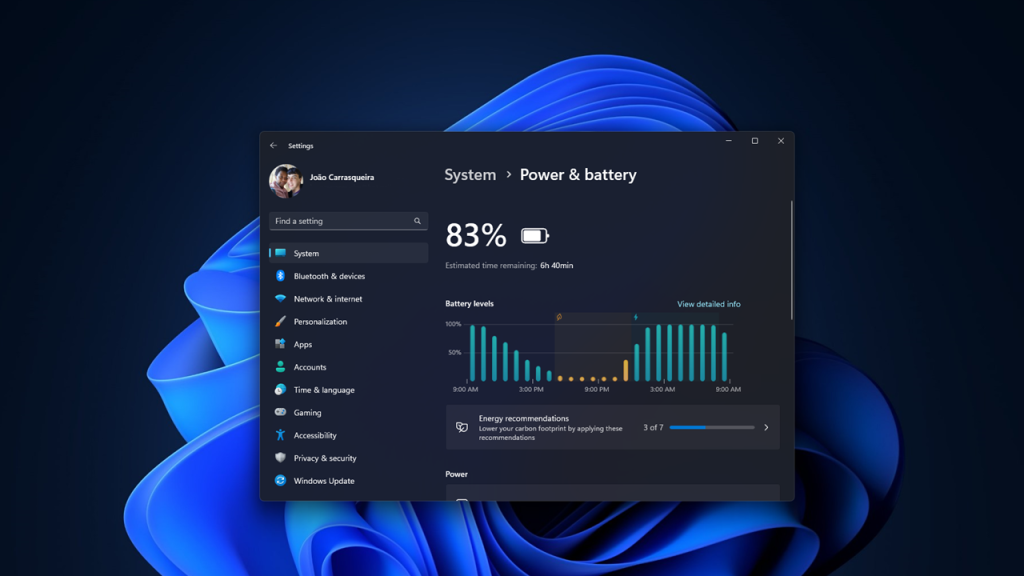
    Windows 12 provides detailed insights into which apps are consuming the most power.

    To check battery usage:

    • Open Settings
    • Go to Power and Battery
    • View Battery Usage

    This helps you identify which apps or processes are draining your battery and take action accordingly.

    Enable Sleep and Hibernate Settings

    Proper sleep settings prevent unnecessary battery drain when your laptop is idle.

    Configure your system to:

    • Sleep after a short period of inactivity
    • Use hibernate for longer breaks

    Hibernate uses almost no power and is ideal when you are not using your laptop for several hours.

    Maintain Battery Health

    Battery optimization is not just about software settings. Physical care also matters.

    Good habits include:

    • Avoid keeping your laptop plugged in all the time
    • Keep battery levels between 20 percent and 80 percent
    • Avoid extreme heat exposure
    • Use the original charger

    These practices help extend the overall lifespan of your battery.

    Use AI Powered Optimization Features

    Windows 12 Iso Download is expected to introduce smarter AI based battery management.

    These features may:

    • Learn your usage patterns
    • Adjust performance automatically
    • Limit background activity during idle periods

    Make sure these features are enabled once available, as they can optimize your system without manual effort.

    Real Life Tips That Actually Work

    Beyond settings and features, daily habits play a big role.

    For example, if you often work in coffee shops or during travel, lowering brightness and disabling unused features can easily give you an extra hour or two of battery life.

    If you are someone who keeps dozens of browser tabs open, simply reducing them can make a noticeable difference.

    Battery optimization is not about one big change. It is about combining small improvements that add up over time.

    Common Mistakes to Avoid

    Many users unknowingly reduce their battery life by making simple mistakes.

    Avoid these:

    • Running your laptop at maximum brightness all the time
    • Ignoring background apps
    • Keeping unnecessary devices connected
    • Skipping system updates
    • Using high performance mode on battery

    Fixing these habits alone can significantly improve battery performance.

    Final Thoughts

    Windows 12 brings modern features and improved performance, but battery life still depends heavily on how you use your system.

    By applying the tips in this guide, you can extend your laptop battery life, improve efficiency, and reduce the need for frequent charging.

    Start with simple changes like adjusting brightness and enabling Battery Saver, then move on to deeper optimizations like managing apps and power settings.

    Over time, these small improvements will make your laptop more reliable, especially when you need it the most.

  • Windows 12 Gaming Performance Review Guide

    Windows 12 Gaming Performance Review Guide

    Gaming on Windows has always been a core part of the PC experience. From early DirectX support to modern features like ray tracing and AI powered enhancements, each Windows version has tried to push gaming further. Now with Windows 12 on the horizon, gamers are asking one simple question: does it actually improve performance, or is it just another visual upgrade?

    This detailed review breaks down what Windows 12 brings to gaming, how it compares to Windows 11, and whether it is worth upgrading if performance is your priority.

    First Impressions of Windows 12 for Gamers

    When you first boot into Windows 12, the changes are noticeable but not overwhelming. The interface feels cleaner and more responsive, but the real story lies under the hood.

    Microsoft appears to be focusing heavily on performance efficiency. Instead of only adding new features, Windows 12 seems optimized to better manage system resources, especially for gaming workloads. Background processes are more controlled, memory allocation is smarter, and GPU scheduling has been refined.

    For gamers, this translates into smoother gameplay, faster load times, and better consistency.

    Improved FPS Performance

    One of the biggest expectations from any new Windows version is better frame rates. Early tests and user reports suggest that Windows 12 offers a modest but noticeable FPS improvement in many games.

    On average:

    • AAA titles show a 5 to 12 percent FPS increase
    • Competitive games like Valorant and CS2 show more stable frame pacing
    • Older games benefit from improved compatibility and smoother rendering

    This improvement does not come from raw power, but from better system optimization. Windows 12 reduces CPU overhead and improves how the GPU communicates with the system.

    In real world gaming, this means fewer sudden drops and a more stable experience, especially during intense scenes.

    DirectX Enhancements and Graphics Boost

    Windows 12 is expected to build further on DirectX 12 Ultimate, introducing refinements that enhance graphics without sacrificing performance.

    Some key improvements include:

    • Better ray tracing efficiency
    • Faster shader compilation
    • Reduced stuttering during texture loading
    • Improved support for modern GPUs

    Games that support advanced rendering techniques benefit the most. Visual quality looks sharper, lighting feels more natural, and performance remains stable even with high settings enabled.

    For gamers who enjoy visually rich titles, this is a noticeable step forward.

    Faster Load Times with Storage Optimization

    Another area where Windows 12 shines is storage performance. With improvements to DirectStorage technology, games can load assets faster directly from SSDs to the GPU.

    What this means in practice:

    • Reduced loading screens
    • Faster open world streaming
    • Less pop in textures
    • Quicker game launches

    If you are using an NVMe SSD, the difference becomes even more noticeable. Open world games feel more seamless, and transitions between areas are smoother.

    Reduced Input Lag and Better Responsiveness

    Input lag can make or break a gaming experience, especially in competitive titles. Windows 12 focuses on reducing latency through improved input handling and better synchronization between hardware and software.

    Gamers can expect:

    • Faster keyboard and mouse response
    • Improved controller input accuracy
    • Reduced system latency in fullscreen mode

    While the improvements may seem small on paper, they are very noticeable during fast paced gameplay.

    AI Powered Performance Optimization

    One of the standout additions in Windows 12 is the use of AI to optimize performance. The system can analyze how you use your PC and adjust resource allocation accordingly.

    For gaming, this includes:

    • Prioritizing game processes over background apps
    • Dynamically adjusting CPU and GPU usage
    • Optimizing power consumption for laptops

    This feature works quietly in the background, but it can lead to smoother gameplay and fewer interruptions.

    Windows 12 vs Windows 11 Gaming Comparison

    When comparing Windows 12 to Windows 11, the differences are not dramatic at first glance, but they add up over time.

    Windows 11 already introduced features like Auto HDR and DirectStorage, but Windows 12 refines them further.

    Key differences:

    • Better resource management in Windows 12
    • Slightly higher and more stable FPS
    • Improved multitasking without affecting gameplay
    • Lower background CPU usage

    If Windows 11 felt good for gaming, Windows 12 feels more polished and consistent.

    Gaming on Low End and Mid Range PCs

    Not everyone uses a high end gaming rig, and this is where Windows 12 makes a meaningful impact.

    Low end and mid range systems benefit from:

    • Reduced system overhead
    • Better memory usage
    • Improved integrated graphics performance

    Even older systems feel more responsive, and games that previously struggled may run more smoothly.

    This makes Windows 12 a strong option for budget gamers.

    Battery Performance for Gaming Laptops

    Gaming laptops often struggle with battery life, especially during intensive sessions. Windows 12 introduces smarter power management to help extend battery usage.

    Improvements include:

    • Adaptive performance scaling
    • Better background app control
    • Efficient GPU usage

    While gaming on battery still drains power quickly, users may notice slightly longer sessions compared to Windows 11.

    Compatibility and Game Support

    A major concern with any new operating system is compatibility. Fortunately, Windows 12 maintains strong support for existing games and platforms.

    Most games that run on Windows 10 and 11 work seamlessly on Windows 12. Popular launchers like Steam, Epic Games, and Xbox Game Pass are fully supported.

    Older games also benefit from improved compatibility settings, making it easier to run classic titles without issues.

    Real World Gaming Experience

    Numbers and benchmarks are useful, but the real test is how games feel during actual play.

    In real world use:

    • Games launch faster and run smoother
    • Frame drops are less frequent
    • Background apps interfere less with performance
    • Overall experience feels more stable

    Even small improvements combine to create a noticeably better gaming environment.

    Potential Downsides

    While Windows 12 offers many benefits, it is not perfect.

    Some users may experience:

    • Initial driver compatibility issues
    • Bugs in early versions
    • Limited benefits on very old hardware

    As with any new system, updates and patches will likely improve stability over time.

    Is Windows 12 Worth It for Gaming

    If you are a gamer, upgrading to Windows 12 Download makes sense, especially if you want better performance and smoother gameplay.

    However, the upgrade is not mandatory. Windows 11 still performs well, and the improvements in Windows 12 are incremental rather than revolutionary.

    You should consider upgrading if:

    • You want the latest performance optimizations
    • You use modern hardware
    • You play competitive or demanding games

    If your system is older or already running well, waiting for a stable release may be the smarter choice.

    Final Thoughts

    Windows 12 does not completely change gaming, but it refines it in ways that matter. Better FPS stability, reduced latency, faster load times, and smarter resource management all contribute to a smoother experience.

    It feels like Microsoft has focused less on flashy features and more on real performance improvements. For gamers, that is exactly what matters.

    Over time, as developers optimize games for Windows 12, the benefits are likely to grow even further. For now, it stands as a solid upgrade that quietly enhances the way games run and feel on PC.

  • Windows 12 Release Date and Latest News

    Windows 12 Release Date and Latest News

    The anticipation around Windows 12 is steadily growing, and it is easy to see why. Every time Microsoft hints at the future of Windows, users start asking the same question: when is Windows 12 actually coming out, and what will it bring?

    While Microsoft has not officially confirmed everything yet, there is already a mix of reliable leaks, insider discussions, and industry predictions that give us a fairly clear picture. If you are someone who follows tech updates closely or just wants to know whether it is worth waiting for the next Windows version, this guide breaks it all down in a simple and practical way.

    Is Windows 12 Officially Confirmed

    Windows 12

    Microsoft has not made a full formal announcement labeled as Windows 12, but there are strong signals that a next generation Windows system is in development. Over the past couple of years, Microsoft has shifted to a more flexible update cycle instead of sticking strictly to the old version numbering system.

    However, references to a future version of Windows have been spotted in developer builds, internal presentations, and partner discussions. Industry experts widely believe that Windows 12 is real and already in active development.

    In simple terms, even if Microsoft has not used the exact name publicly, the next major upgrade is definitely coming.

    Expected Windows 12 Release Date

    If you are hoping for a confirmed date, there is none yet. But based on patterns and insider reports, we can make a realistic estimate.

    Microsoft released Windows 11 in October 2021. Historically, major Windows versions used to arrive every three to six years. Following that pattern, many experts expect Windows 12 to launch sometime in late 2025 or early 2026.

    Some leaks also suggest that Microsoft is targeting a release window aligned with new hardware cycles, especially AI powered PCs. That could push the release closer to the second half of 2025.

    So while nothing is officially locked in, a late 2025 release remains the most widely accepted expectation.

    Why Windows 12 Might Be a Big Upgrade

    Windows 11 brought a visual redesign and performance improvements, but Windows 12 is expected to go much further. This is not just another update. It may represent a shift in how the operating system works.

    One of the biggest reasons is Microsoft’s growing focus on artificial intelligence. The company is investing heavily in AI tools across its ecosystem, and Windows 12 is likely to be built with AI at its core.

    Instead of just being a platform that runs software, Windows may become a system that actively helps you work smarter.

    AI Integration Will Be the Centerpiece

    If there is one feature that defines Windows 12, it is AI.

    Microsoft has already introduced AI features like Copilot in Windows 11, but Windows 12 is expected to take things much further. Imagine an operating system that understands your habits, predicts your needs, and automates repetitive tasks without you asking.

    For example, Windows 12 could organize your files based on how you use them, suggest actions depending on your workflow, and even adjust system settings automatically for better performance.

    This is not just speculation. Microsoft has clearly stated its goal to integrate AI deeply into Windows, and upcoming hardware from major manufacturers is already being designed with AI acceleration in mind.

    New User Interface and Design Changes

    Every new version of Windows brings some design changes, and Windows 12 will likely continue that trend.

    Leaked concepts suggest a more modular and flexible interface. You might see floating taskbars, dynamic widgets, and a cleaner desktop experience that adapts to different devices.

    There are also hints of a more web integrated interface, where parts of the system can update independently without requiring full system updates. This could make Windows feel faster and more modern.

    For users, this means less clutter and more personalization.

    Improved Performance and Efficiency

    Performance is always a major focus, and Windows 12 is expected to improve both speed and efficiency.

    One of the key goals is better resource management. The system may use AI to allocate CPU and memory based on your usage patterns. That means smoother multitasking and fewer slowdowns.

    Battery life improvements are also expected, especially for laptops. With smarter power management, Windows 12 could help devices last longer on a single charge.

    For gamers and professionals, this could translate into a noticeable upgrade in day to day performance.

    Better Support for New Hardware

    Windows 12 is being designed with future hardware in mind. This includes support for new processors, improved GPU performance, and better compatibility with advanced devices.

    One major trend is the rise of AI focused chips. Companies like Intel, AMD, and Qualcomm are already working on processors with dedicated AI engines. Windows 12 will likely take full advantage of these capabilities.

    This also means that older devices may not support all features, so upgrading hardware might be necessary to experience everything Windows 12 offers.

    Cloud Integration and Smart Features

    Another area where Windows 12 is expected to improve is cloud integration.

    Microsoft is pushing services like OneDrive, Azure, and Microsoft 365, and Windows 12 will likely connect more deeply with these platforms. This could make file access, backups, and collaboration easier than ever.

    Imagine starting a task on one device and continuing it seamlessly on another without manually transferring files. That is the kind of experience Microsoft is aiming for.

    Security Enhancements

    Security is becoming more important with every passing year, and Windows 12 will likely introduce stronger protections.

    Expect improvements in areas like data encryption, identity protection, and threat detection. AI may also play a role here by identifying unusual activity and stopping threats before they cause damage.

    With cyber threats evolving constantly, these upgrades will be essential for both personal and professional users.

    Will Windows 12 Be a Free Upgrade

    This is one of the most common questions. While there is no official confirmation yet, Microsoft allowed free upgrades from Windows 10 to Windows 11 for many users.

    There is a good chance that Windows 12 will follow a similar model, at least for compatible devices. However, certain features may be limited to newer hardware.

    If you are already using Windows 11, you may not need to pay for the upgrade, but it will depend on Microsoft’s final strategy.

    Should You Wait for Windows 12

    This depends on your current situation.

    If your system is running well on Windows 11, there is no urgent need to upgrade immediately. Windows 11 will continue receiving updates and support for several years.

    However, if you are planning to buy a new PC, it might be worth waiting to see what Windows 12 offers. New devices will likely be optimized for the upcoming system, especially when it comes to AI features.

    In short, there is no wrong choice, but timing your upgrade can help you get the most value.

    Latest News and Industry Insights

    Recent discussions in the tech community suggest that Microsoft is accelerating its AI plans. Partnerships with hardware manufacturers and increased investment in cloud infrastructure are strong indicators that Windows 12 Iso will focus heavily on intelligent computing.

    There are also reports that Microsoft is experimenting with a more modular version of Windows, which could allow faster updates and better customization.

    While not all leaks turn out to be accurate, the overall direction is clear. Windows is evolving into a smarter, more adaptive platform.

    Final Thoughts

    Windows 12 is shaping up to be more than just the next version of an operating system. It represents a shift toward a more intelligent and connected computing experience.

    From AI powered features to improved performance and deeper cloud integration, there is a lot to look forward to. While the exact release date is still uncertain, the signs point to a launch in the near future.

    For now, the best approach is to stay informed and keep an eye on official announcements. Whether you are a casual user or a tech enthusiast, Windows 12 is definitely something worth watching.

  • Windows 12 Features and Release Timeline Guide

    Windows 12 Features and Release Timeline Guide

    Windows has always evolved quietly in the background of our daily work, but every few years, Microsoft makes a leap that changes how we interact with our computers. Windows 12 is shaping up to be one of those major leaps. While Microsoft has not officially announced every detail yet, a mix of insider reports, developer hints, and industry trends paints a clear picture of what we can expect.

    If you are someone who relies on Windows for work, gaming, or everyday browsing, understanding what Windows 12 might bring can help you prepare early and make smarter upgrade decisions.

    A New Direction for Windows

    Windows 12

    Microsoft has been gradually shifting Windows from a traditional operating system into something more intelligent and cloud connected. Windows 11 introduced design changes and tighter hardware requirements, but Windows 12 is expected to go much further.

    Instead of just improving performance and visuals, the focus now seems to be on making the system smarter, more adaptive, and deeply integrated with artificial intelligence. This change reflects how people use computers today. We no longer just run programs. We expect systems to assist us, automate tasks, and understand context.

    Windows 12 appears to be built around that idea.

    Expected Release Timeline

    Microsoft typically follows a predictable cycle when it comes to major Windows releases. Based on previous patterns and industry leaks, Windows 12 is expected to launch sometime in late 2025 or early 2026.

    Here is a realistic breakdown of the timeline:

    Early previews likely began with internal builds and developer testing in 2024
    Public insider builds started appearing in limited channels during 2025
    A broader rollout is expected between October 2025 and March 2026

    If you have followed past releases, this approach will feel familiar. Microsoft usually tests heavily before pushing updates to the general public.

    It is also likely that Windows 12 will roll out in phases. Not every device will receive it on day one. Compatibility, hardware readiness, and region may affect availability.

    A Fresh User Interface Experience

    One of the first things users notice in any new Windows version is the interface. Windows 12 is expected to introduce a cleaner and more flexible design.

    Instead of the fixed layouts we are used to, the interface may become more modular. This means different elements such as the taskbar, widgets, and system panels could adapt based on how you use your device.

    Some expected UI improvements include:

    A floating taskbar that adjusts based on screen size
    A smarter Start menu with personalized suggestions
    Dynamic widgets that update based on your behavior
    Improved multi desktop navigation

    The goal here is not just aesthetics. It is about reducing clutter and making everyday actions faster.

    From early concepts, the design feels lighter, less crowded, and more responsive.

    AI Integration at the Core

    If there is one feature that defines Windows 12, it is artificial intelligence.

    Microsoft has already started integrating AI into Windows 11 through tools like Copilot, but Windows 12 is expected to take this much further. AI will not just be an optional feature. It will be deeply embedded into the system.

    Here is what that could look like in real use:

    You ask your PC to organize files, and it does it automatically
    The system suggests replies while you type emails or documents
    Background tasks like updates and cleanup happen without manual input
    Search becomes conversational instead of keyword based

    Imagine opening your laptop and simply typing, “Find the document I worked on last week about budget planning,” and getting instant results without digging through folders.

    That is the level of interaction Windows 12 is aiming for.

    Improved Performance and Efficiency

    Performance improvements may not always be visible, but they are often the most important.

    Windows 12 is expected to be more efficient in how it uses system resources. This includes better memory management, faster boot times, and improved battery life for laptops.

    Microsoft is reportedly working on optimizing the operating system for modern hardware, especially systems with AI chips and advanced processors.

    Users can expect:

    Faster startup times
    Reduced background resource usage
    Better performance on both high end and mid range devices
    Improved battery efficiency for portable devices

    For everyday users, this simply means a smoother experience with fewer slowdowns.

    Cloud Integration and Flexibility

    Another major shift is how Windows interacts with the cloud.

    Download Windows 12 Iso is expected to rely more heavily on cloud services, allowing users to access files, settings, and even apps from anywhere. This does not mean everything will move online, but the system will be more flexible.

    For example:

    You could start working on a document on your desktop and continue on a laptop without manual syncing
    Your settings and preferences could follow you across devices
    Cloud based backups may become more seamless

    This approach is especially useful for people who work across multiple devices or locations.

    Enhanced Security Features

    Security has become a major concern in recent years, and Microsoft is likely to make it a central part of Windows 12.

    Building on the strict requirements introduced in Windows 11, the new version may include even stronger protections.

    Expected security improvements include:

    Better protection against malware and ransomware
    Enhanced hardware level security features
    Smarter threat detection powered by AI
    Stronger user authentication methods

    While these features may run quietly in the background, they play a critical role in keeping your data safe.

    Gaming Enhancements

    For gamers, every Windows update brings some level of excitement.

    Windows 12 is expected to improve gaming performance through better resource management and tighter integration with gaming technologies.

    Possible improvements include:

    Faster loading times with advanced storage optimization
    Better graphics performance with updated drivers and APIs
    Enhanced support for cloud gaming
    Improved compatibility with new gaming hardware

    Microsoft has been investing heavily in gaming, and Windows 12 is likely to reflect that focus.

    System Requirements and Compatibility

    If Windows 11 taught us anything, it is that Microsoft is willing to raise hardware requirements.

    Windows 12 may continue this trend, especially if it relies heavily on AI features. Systems with modern processors, sufficient RAM, and security chips are likely to be required.

    While exact specifications are not confirmed, you can expect:

    A modern processor from recent generations
    At least 8 GB of RAM for smooth performance
    SSD storage for faster operations
    Support for advanced security features

    Older devices may still run Windows 12, but they might not support all features.

    Will Windows 12 Be a Free Upgrade

    One of the most common questions is whether Windows 12 will be free.

    Based on previous releases, Microsoft may offer it as a free upgrade for eligible Windows 11 users. However, this will depend on hardware compatibility and licensing.

    Businesses and enterprise users may have different upgrade paths, often tied to subscription models.

    For individual users, it is likely that if your system supports it, you will not need to pay separately.

    How Windows 12 Could Change Daily Use

    It is easy to focus on features, but the real question is how Windows 12 will feel in everyday use.

    If Microsoft delivers on its vision, the experience will be more intuitive. Tasks that currently take several steps could become automatic. Searching, organizing, and even troubleshooting might feel more like having a conversation than navigating menus.

    For example, instead of opening multiple settings to fix an issue, you might simply ask the system to resolve it. Instead of manually sorting files, the system might suggest organization based on your habits.

    This shift may take some getting used to, but it has the potential to save time and reduce frustration.

    Early Impressions and Expectations

    Even before its official release, Windows 12 has generated strong interest. The combination of AI integration, design improvements, and performance upgrades makes it one of the most anticipated operating system updates in years.

    At the same time, expectations should remain realistic. Not every feature will be perfect at launch. Some may evolve over time through updates.

    That said, Microsoft seems committed to pushing Windows into a smarter and more adaptive future.

    Should You Wait for Windows 12

    If you are currently using Windows 10 or Windows 11, you might be wondering whether to upgrade now or wait.

    If your system runs smoothly and meets modern requirements, waiting for Windows 12 could be a good choice. You will likely benefit from better performance and more advanced features.

    However, if your current setup feels slow or outdated, upgrading to Windows 11 now can still provide noticeable improvements.

    Ultimately, the decision depends on your needs and hardware.

    Final Thoughts

    Windows 12 is not just another update. It represents a shift in how operating systems are designed and used.

    With AI at its core, a more flexible interface, and deeper cloud integration, it aims to make computing simpler and more intuitive. While some details are still uncertain, the overall direction is clear.

    For users, this means a system that does more of the heavy lifting, allowing you to focus on what matters most.

    As the release approaches, keeping an eye on official announcements and early previews will help you stay prepared. Whether you are a casual user or someone who depends on Windows daily, Windows 12 is worth paying attention to.