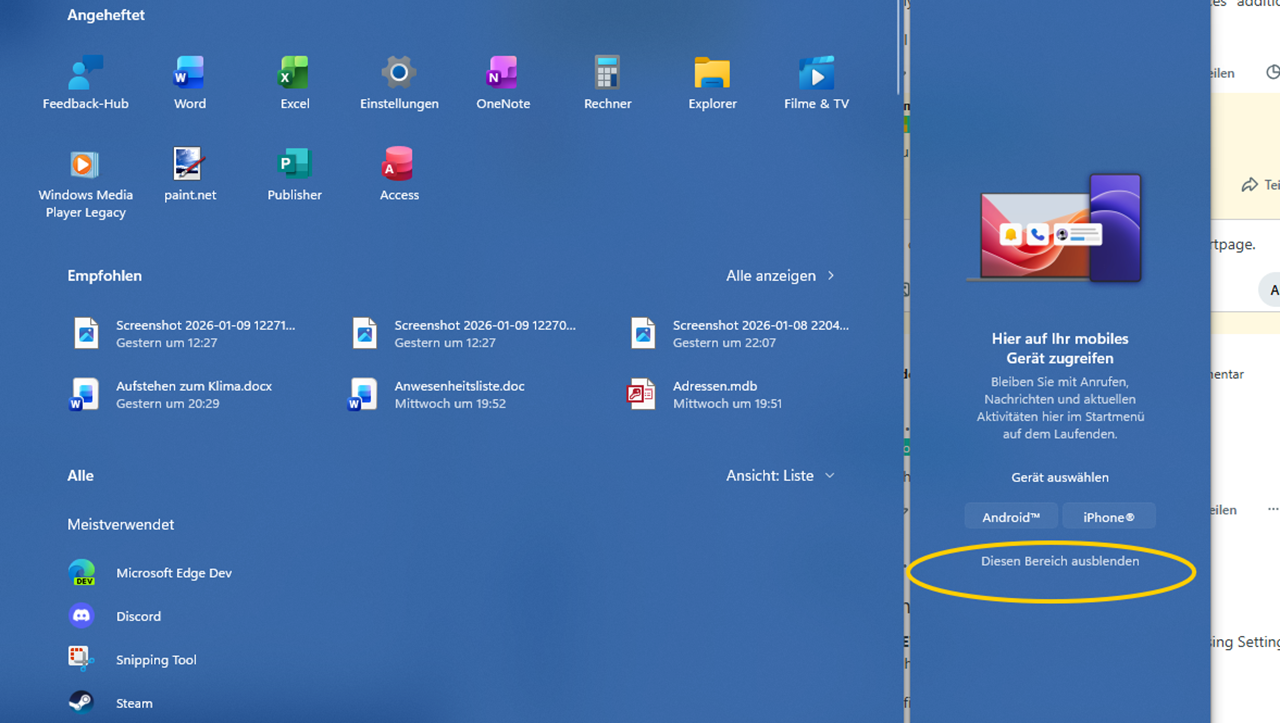
Microsoft has rolled out a fresh update for Windows enthusiasts and testers: Windows 11 Insider Preview Build 26220.8165, now available in the Beta Channel. If you’re part of the Insider Program, this build is another step forward in refining the overall Windows 11 experience before it reaches the general public.
This update is mainly targeted at users who like to stay ahead of the curve—developers, testers, and curious users who want early access to upcoming features. While it may not introduce groundbreaking changes at first glance, builds like this play a crucial role in polishing performance, fixing bugs, and shaping the future of Windows.
For everyday users, this update matters because it gives a glimpse into what’s coming next. It’s not just about features—it’s about stability, speed, and the little improvements that make daily computing smoother.
What Is Windows 11 Insider Preview Build 26220.8165?
Windows Insider Preview builds are early versions of updates released by Microsoft to test new features, improvements, and fixes before they become widely available. These builds are part of the Windows Insider Program, which allows users to experience upcoming changes and provide feedback.
The Beta Channel is one of the more stable branches within the Insider Program. Unlike Dev Channel builds, which can be experimental, Beta builds are closer to final releases. This makes them ideal for users who want early access without dealing with too many major bugs.
Build 26220.8165 belongs to the 26220 series, which is part of Microsoft’s ongoing development cycle for Windows 11. These builds focus on refining existing features rather than introducing drastic changes, ensuring that the operating system continues to improve steadily.
Key Highlights of Build 26220.8165
This build focuses on enhancing the overall user experience rather than introducing flashy new features. Microsoft has clearly prioritized stability, reliability, and incremental improvements.
One of the key highlights is improved system performance, especially in areas like responsiveness and background task handling. Users may notice smoother transitions and quicker load times in everyday tasks.
Another important focus is bug fixing. Microsoft has addressed several issues reported in previous builds, particularly those affecting system stability and UI consistency. This helps create a more polished experience for users testing the update.
Security and reliability have also been given attention. While not always visible, these improvements are critical in ensuring a safe and stable operating system.
Overall, Build 26220.8165 continues the trend of refining Windows 11, making it more dependable and user-friendly with each update.
New Features and Improvements
While this build is more about refinement than reinvention, there are still a number of meaningful improvements worth noting.
First, Microsoft has made subtle UI enhancements across the system. These changes may not stand out immediately, but they contribute to a cleaner and more consistent look. Elements such as menus, system dialogs, and transitions feel more polished and aligned with the overall Windows 11 design language.
There are also improvements in system responsiveness. Tasks like opening apps, switching between windows, and navigating settings feel slightly faster and smoother. These small gains can make a noticeable difference in day-to-day usage.
Another area of focus is background performance. The system now manages resources more efficiently, which can lead to better battery life on laptops and improved multitasking capabilities.
Although this build doesn’t heavily emphasize AI features, Microsoft continues to integrate smarter system behaviors behind the scenes. This includes better handling of system processes and improved adaptability based on user activity.
Overall, the improvements in this build are subtle but meaningful, aimed at delivering a more refined and reliable Windows experience.
Bug Fixes and Performance Enhancements
One of the main purposes of Beta Channel builds is to address issues reported by users, and Build 26220.8165 does exactly that.
Microsoft has fixed several bugs that previously caused system instability, including occasional crashes and unexpected behavior in certain apps. These fixes contribute to a more stable environment, especially for users who rely on their systems for daily tasks.
UI-related issues have also been addressed. Some users reported inconsistencies in visual elements, such as misaligned text or flickering components. These problems have been corrected to ensure a smoother and more visually consistent experience.
Performance has been improved across various system components. Background processes are now handled more efficiently, reducing unnecessary resource usage. This can lead to better overall system performance, especially on devices with limited hardware resources.
In short, this update is less about adding new features and more about making sure everything works as it should.
Known Issues in This Build
As with any Insider Preview build, there are still some known issues that users should be aware of.
Certain features may not work as expected, and some users might encounter minor bugs or glitches. These can include occasional UI inconsistencies, app compatibility issues, or unexpected system behavior.
Users with specific hardware configurations may experience unique problems that are not yet fully addressed. This is a normal part of the testing process, as Microsoft relies on feedback from a wide range of devices.
Microsoft is actively monitoring these issues and is expected to release fixes in upcoming updates. Users are encouraged to report any problems through the Feedback Hub to help improve future builds.
If you rely heavily on your system for critical tasks, it may be worth waiting for a more stable release.
How to Download and Install Build 26220.8165 (Step-by-Step Guide)
If you want to try this build, you’ll need to be part of the Windows Insider Program and enrolled in the Beta Channel.
Start by opening Settings and navigating to Windows Update. From there, select Windows Insider Program and ensure your device is set to the Beta Channel.
Once that’s done, go back to Windows Update and click “Check for updates.” If Build 26220.8165 is available for your device, it will begin downloading automatically.
Before installing, it’s a good idea to back up your important files. While Beta builds are relatively stable, there’s always a small risk of issues.
After the download is complete, follow the on-screen instructions to install the update. Your system will restart during the process.
Once installed, you can start exploring the new improvements and provide feedback to Microsoft.
Who Should Install This Update?
This update is best suited for users who enjoy testing new features and providing feedback. Developers, tech enthusiasts, and IT professionals will benefit the most from installing this build.
It’s also a good choice for users who want to stay ahead of upcoming changes in Windows 11 without dealing with the instability of Dev Channel builds.
However, general users who rely on their devices for work or important tasks should proceed with caution. Even though Beta builds are more stable, they are still not final releases.
If you prefer a completely stable experience, it’s better to wait for the official public release.
Expert Insights and Early User Feedback
Early feedback from the Insider community suggests that Build 26220.8165 is a solid step forward in terms of stability and performance.
Many users have reported smoother system performance and fewer crashes compared to previous builds. This indicates that Microsoft’s focus on refinement is paying off.
Experts generally view this update as part of a broader effort to prepare Windows 11 for future enhancements. While it may not introduce major features, it lays the groundwork for upcoming updates.
Some users have noted minor issues, but overall sentiment remains positive. The build is seen as reliable enough for testing while still offering noticeable improvements.
Comparison with Previous Insider Build (26220 Series)
Compared to earlier builds in the 26220 series, this update focuses more on stability and polish.
Previous builds introduced changes that required further refinement, and Build 26220.8165 addresses many of those concerns. Users may notice fewer bugs and improved system responsiveness.
While there are no major new features, the improvements in performance and reliability make this build a better overall experience.
In essence, this update builds upon the foundation laid by earlier versions, bringing Windows 11 closer to a more polished state.
Why This Update Matters for the Future of Windows 11
Updates like Build 26220.8165 may seem minor, but they play a crucial role in shaping the future of Windows 11.
By focusing on stability and performance, Microsoft ensures that the operating system remains reliable as new features are introduced. This approach helps maintain a balance between innovation and usability.
These incremental updates also provide insight into Microsoft’s long-term roadmap. The emphasis on refinement suggests that future releases will continue to prioritize user experience alongside new technologies.
As Windows evolves, builds like this serve as important stepping stones toward a more efficient and intelligent operating system.
Final Thoughts
Windows 11 Insider Preview Build 26220.8165 may not be packed with flashy features, but it delivers where it matters most—stability, performance, and refinement.
For Beta Channel users, this update offers a smoother and more reliable experience, making it a worthwhile upgrade for those already in the Insider Program.
If you enjoy testing new updates and contributing feedback, this build is definitely worth exploring. However, if you prefer a completely stable system, it’s best to wait for a public release.
Looking ahead, updates like this suggest that Microsoft is steadily improving Windows 11, ensuring it remains a strong and dependable platform for users.
FAQs
What is Windows 11 Build 26220.8165?
It is a Beta Channel Insider Preview build released by Microsoft, focusing on performance improvements, bug fixes, and system stability.
Is it safe to install Beta builds?
Beta builds are generally stable but may still contain bugs. They are safe for testing but not recommended for critical systems.
How do I leave the Insider Program?
You can leave the program by going to Settings > Download Windows 12 Iso Insider Program and choosing to stop receiving preview builds. You may need to reinstall a stable version of Windows.
What’s new in this update?
This build focuses on refining the user experience with improved performance, bug fixes, and minor UI enhancements rather than introducing major features.
Does it improve performance?
Yes, users have reported smoother performance, better responsiveness, and improved system stability compared to previous builds.